Every small business owner knows the frustration: timesheets that don’t add up, employees clocking in for absent coworkers, and hours lost each week reconciling payroll discrepancies. Buddy punching alone costs U.S. employers hundreds of millions annually, and for small businesses operating on tight margins, even minor time theft compounds into significant financial losses. Traditional punch cards and honor-based systems simply cannot verify whether an employee is actually where they claim to be when they log their hours.
A GPS time clock offers a modern, technology-driven answer to these persistent challenges. By leveraging location verification at the moment of clock-in, these systems eliminate guesswork and fraud from your attendance tracking entirely. In this article, we’ll break down exactly how GPS time clocks work, explore six concrete benefits they deliver for small businesses, examine the technology behind implementation—including secure cloud infrastructure like AWS Cloud Storage—and walk you through a step-by-step process for choosing the right solution. Whether you manage field crews, remote workers, or in-office teams, this guide will help you find an efficient, reliable, and fully integrated time tracking system that fits your operation.
Table of Contents
What is a GPS Time Clock and How Does it Work?
A time clock with GPS tracking is a digital attendance system that uses location data from an employee’s smartphone or a company-provided device to verify their physical position at the moment they record their work hours. Unlike traditional time clocks that only capture when someone punches in, a GPS-enabled system confirms both the time and the place, creating a verified attendance record that managers can trust.
The core workflow is straightforward. An employee opens the time clock app on their mobile device and taps to clock in. At that instant, the system captures their GPS coordinates and compares them against a predefined geofence—a virtual boundary you’ve drawn around an approved work location such as a job site, office building, or client facility. If the employee falls within that boundary, the clock-in is accepted and the timestamp along with the verified location is logged. If they’re outside the geofence, the system can flag or reject the attempt entirely.
Once recorded, this data syncs instantly to a secure, centralized cloud dashboard accessible to managers from any device. There’s no waiting for paper timesheets to arrive at the end of the week—attendance information flows in real time, giving you immediate visibility into who’s working, where they are, and exactly when they started and finished.




Top 6 Benefits of a GPS Time Clock for Your Small Business
Eliminate Time Theft and Buddy Punching. When every clock-in requires location verification against a designated work site, it becomes physically impossible for one employee to punch in on behalf of another who hasn’t arrived. This single capability can recover thousands of dollars annually that would otherwise drain from your payroll budget unnoticed.
Ensure Accurate Payroll and Billing. Location-stamped timesheets mean you’re paying employees for hours genuinely worked at the correct site, and if you bill clients based on labor hours at their facility, you now have verifiable proof backing every invoice. Disputes over billed time virtually disappear when GPS records confirm presence.
Enhance Accountability for Remote and Field Teams. Managing crews you can’t physically see requires trust—but also verification. Real-time GPS data shows exactly where your team members are working throughout the day, giving you confidence without requiring constant check-in calls or site visits.
Simplify Compliance and Record-Keeping. Labor law audits demand accurate, tamper-proof attendance documentation. A GPS time clock automatically generates digital records with timestamps and location data that satisfy regulatory requirements, removing the vulnerability of handwritten logs that can be altered or lost.
Streamline Payroll Processing. Rather than manually transferring hours from paper timesheets into your payroll software, GPS time clock systems integrate directly with platforms like QuickBooks, Gusto, or ADP. Verified hours export seamlessly, cutting your payroll preparation time from hours to minutes each pay period.
Improve Operational Efficiency. The administrative burden of chasing down missing timesheets, correcting errors, and investigating discrepancies consumes management time that should go toward growing your business. Automated, accurate time capture eliminates these tasks entirely, freeing you to focus on what actually moves your company forward.
Implementing Your Smart Attendance System: Key Components & Technology
The Role of Secure Cloud Infrastructure. A GPS time clock is only as reliable as the infrastructure storing and delivering its data. Modern smart attendance systems rely on enterprise-grade cloud providers like AWS Cloud Storage to ensure that every timestamp, GPS coordinate, and attendance record remains encrypted, redundant, and accessible around the clock. This means your data won’t disappear if a device breaks, and managers can pull reports from a laptop at home, a tablet on a job site, or a phone between meetings. Cloud-based access also ensures automatic backups and seamless software updates without any IT burden on your end—critical for small businesses without dedicated technology staff.
Geofencing & Location Accuracy
Setting up a geofence takes just minutes in most platforms. You drop a pin on a map, define a radius—sometimes as tight as 100 feet—and the system enforces that boundary for every clock event. Advanced GPS tracking combines satellite signals with Wi-Fi triangulation and cell tower data to maintain accuracy even in dense urban environments or areas with limited satellite visibility. This layered approach prevents false rejections while keeping location verification tight enough to be meaningful.
Flexible Clock-In/Out Methods
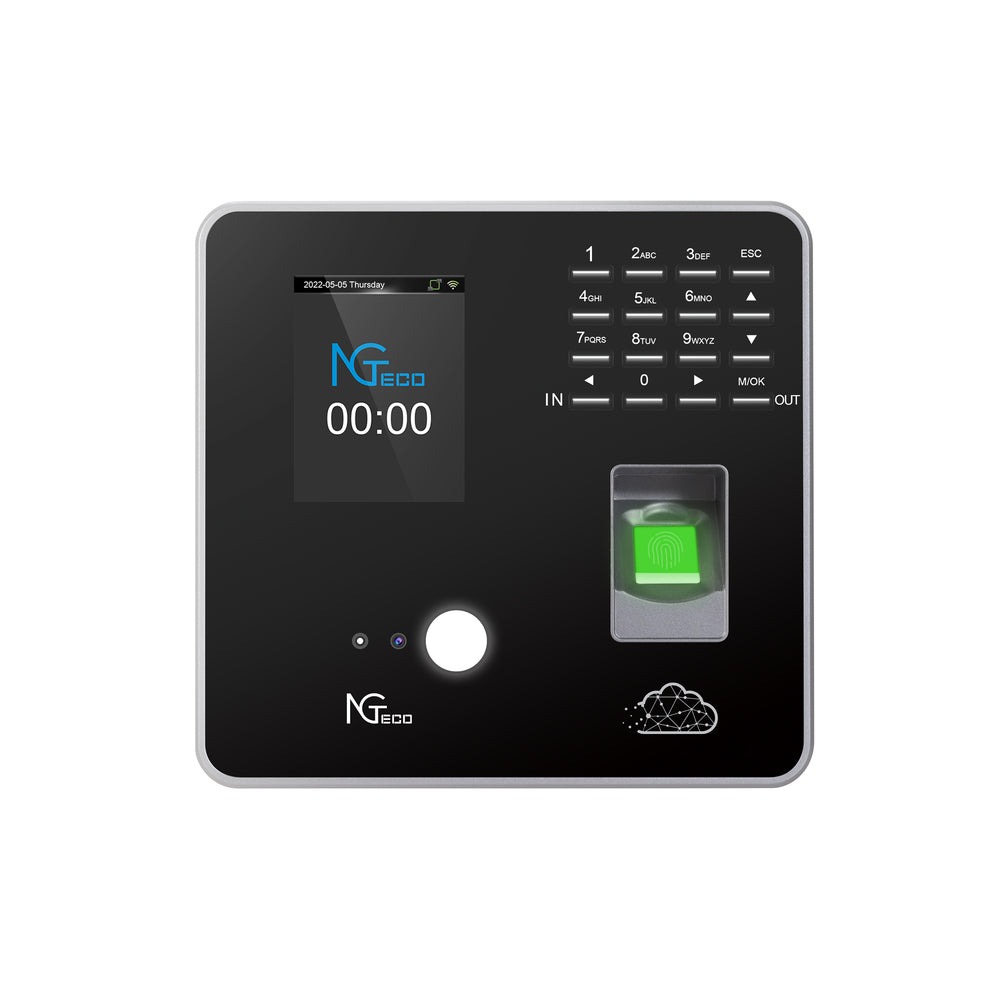
Not every employee works the same way, so a capable smart attendance system offers multiple entry points. Field workers use the mobile app with GPS verification. Office staff might use a shared kiosk tablet or a dedicated hardware terminal from providers like NGteco mounted near the entrance. Remote employees can clock in via a web portal with IP-based verification supplementing GPS data. This flexibility ensures universal adoption without forcing a single workflow onto diverse teams.
Department-Specific Tracking & Reporting
Granular reporting lets you filter attendance data by team, project, client, or department. If you need to know how many labor hours went toward a specific construction phase or which department consistently runs overtime, the system segments that information automatically. These insights drive smarter scheduling decisions and more accurate project bids.
Real-Time Dashboard & Alerts
A centralized dashboard displays live attendance status across your entire workforce—who’s clocked in, who’s late, and who’s at which location right now. Configurable alerts notify you instantly when someone attempts to clock in outside their geofence, misses a scheduled shift, or approaches overtime thresholds. This proactive visibility replaces reactive problem-solving with informed, real-time management.
How to Choose the Right GPS Time Clock Solution
Step 1: Assess Your Business Needs. Start by mapping your workforce structure. How many employees work in the field versus at a desk? Do you bill clients based on hours spent at their location? Which payroll software does your business currently run? These answers determine whether you need heavy geofencing capabilities, project-based time allocation, or primarily a streamlined integration pipeline. A landscaping company with ten mobile crews has fundamentally different requirements than a consulting firm with remote analysts—define your reality before evaluating any platform.
Step 2: Prioritize Essential Features. Once you understand your operational profile, rank the features that matter most. Tight geofencing accuracy is non-negotiable for construction and field service businesses. Real-time reporting matters when you manage shifts across multiple locations simultaneously. Direct payroll integration—connecting verified hours straight into QuickBooks, Gusto, or your existing platform—eliminates the manual export step that introduces errors. If your crews work in areas with spotty cell coverage, offline mode capability becomes critical so clock events still record locally and sync once connectivity returns.
Step 3: Evaluate Security and Infrastructure. Your attendance data contains sensitive employee information and forms the basis of your payroll expenditures. Demand end-to-end encryption, SOC 2 compliance, and hosting on reputable cloud providers like AWS Cloud Storage. Ask vendors specifically where data is stored, how backups are handled, and what their uptime guarantees look like. A system that goes down on payday morning isn’t a solution—it’s a liability.
Step 4: Consider Scalability and Pricing Models. Most GPS time clock platforms operate on per-user, per-month subscriptions—a model that keeps costs predictable and tied directly to your team size. Avoid platforms that lock you into annual contracts before you’ve tested them at scale. Choose a system that lets you add users, locations, and departments without jumping to an enterprise tier the moment you hire your fifteenth employee.
Step 5: Test Usability and Support. The most feature-rich system fails if your employees won’t use it. Request a trial period and have both tech-savvy and less technical team members test the clock-in process. The interface should require zero training for basic functions. Equally important: evaluate customer support responsiveness during your trial. When a payroll deadline looms and something isn’t syncing, you need a real person available—not a chatbot and a 48-hour ticket queue.
Taking Control of Workforce Management with GPS Time Tracking
A GPS time clock transforms how small businesses handle workforce management—replacing fraud-prone paper systems and honor-based tracking with verified, location-stamped attendance records that you can trust completely. The impact extends far beyond eliminating buddy punching. Accurate timesheets flow directly into payroll, compliance documentation generates itself, and the administrative hours you once spent chasing discrepancies redirect toward actually growing your business.
For small business owners operating on lean margins, investing in a reliable smart attendance system with cloud-based access through secure infrastructure like AWS delivers measurable returns in recovered wages, reduced processing time, and eliminated disputes. The technology has matured to the point where implementation requires no IT expertise and adoption demands no employee training beyond opening an app.
Take the next step by applying the selection framework outlined above: define your workforce structure, prioritize the features your operation genuinely needs—whether that’s tight geofencing for field crews or seamless payroll integration for your accounting workflow—and test platforms through trial periods before committing to a scalable subscription model. The businesses that gain real control over their labor costs and workforce visibility today are the ones positioned to grow confidently tomorrow.