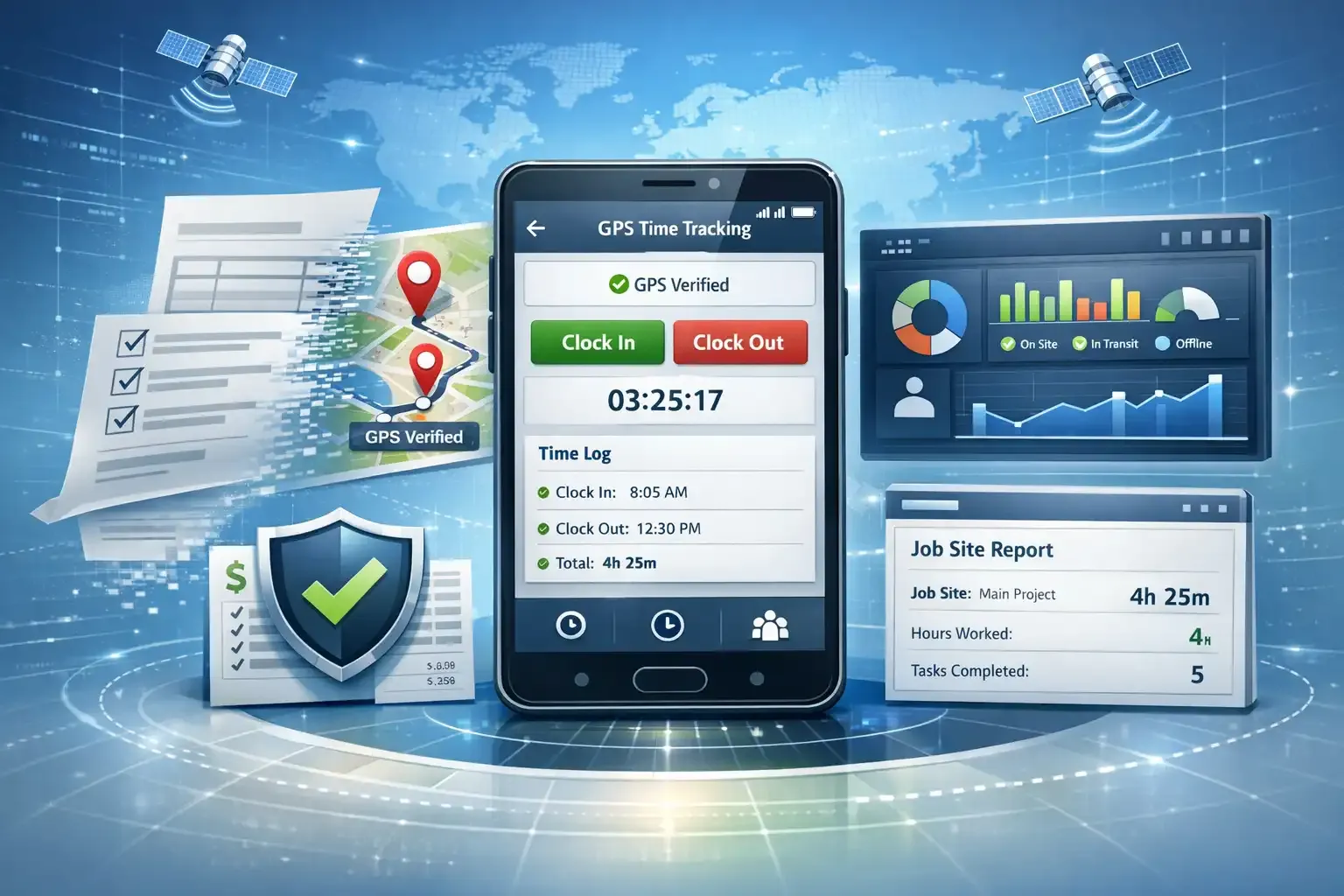
Managing labor costs across multiple job sites is one of the most persistent operational challenges in construction. Workers move between locations, project scopes shift mid-week, and payroll deadlines don’t wait for anyone. When time tracking relies on paper timesheets or disconnected apps, errors compound quietly until they appear as budget overruns, disputed payroll, or failed audits.
The demand for more reliable workforce tracking tools has grown steadily as contractors take on more complex projects with thinner margins. But choosing the right system requires more than comparing price points. The features built into a platform determine whether it will actually solve day-to-day problems or simply add another layer of administrative work.
This guide outlines the ten features that matter most when evaluating a construction time tracking system that connects with QuickBooks — covering what each feature does operationally and why it affects business outcomes in real terms.
Table of Contents
1. GPS-Verified Clock-In and Clock-Out at Job Site Level
When evaluating construction gps time tracking with quickbooks integration, the most foundational feature to examine is location-verified clock-in and clock-out functionality. This means the system uses GPS coordinates to confirm that an employee is physically present at the correct job site before logging their hours. Without this, time entries are essentially self-reported, which creates the conditions for payroll inaccuracies even without any intent to deceive.
Location-verified time entries provide contractors with a factual record tied to each project address. When that data flows directly into QuickBooks, job costing becomes more accurate because labor hours are attached to the right site, the right date, and the right cost code — not approximated after the fact.



A reliable implementation of this feature will also handle edge cases: poor cell signal, GPS drift in rural areas, and workers who forget to clock in. Look for systems that log the GPS coordinates at the moment of the punch, not retroactively assigned based on shift schedules.
2. Geofencing with Configurable Site Boundaries
Geofencing allows administrators to define a virtual perimeter around each job site. When a worker enters or exits that boundary, the system can automatically prompt a clock-in, flag an anomaly, or trigger a notification. This removes dependence on worker-initiated action and reduces the volume of missed punches that require manual correction later.
Why Boundary Configuration Matters
Construction sites vary considerably in size and shape. A commercial renovation in a downtown building occupies a different footprint than a pipeline project that spans miles. A system that only supports circular, fixed-radius geofences may not reflect the actual geography of a worksite accurately. Custom polygon boundaries — where administrators draw the perimeter on a map — give field supervisors more precise control over who is considered on-site at any given time.
This precision matters for billing and compliance equally. Inaccurate geofences can flag workers as absent when they’re present, or present when they’ve left, creating records that don’t match the physical reality on the ground.
3. Real-Time QuickBooks Sync Without Manual Export
The integration between a time tracking platform and QuickBooks should be direct and automatic. Many systems on the market claim QuickBooks compatibility but require users to export CSV files, map fields manually, or run a sync at the end of each week. This is not true integration — it’s data transfer with extra steps, and each step introduces the potential for human error.
What Real-Time Sync Changes Operationally
When time data moves into QuickBooks automatically as it’s recorded, office staff no longer need to reconcile field logs against payroll manually. Labor costs post to the correct job, customer, or class as the work happens. This means that by the time the pay period closes, the accounting records are already current — reducing the hours spent on payroll processing and the risk of posting errors that affect financial statements.
For contractors using QuickBooks for invoicing as well as payroll, live labor data also allows for more accurate progress billing, since job cost reports reflect actual time worked rather than estimated hours.
4. Cost Code and Job Classification Mapping
Construction payroll is rarely uniform. Workers are classified differently depending on trade, union status, and job type. The time they spend on-site may be billed at different rates depending on the phase of work — foundation, framing, finishing. A capable system allows workers or supervisors to assign cost codes at the time of the clock-in, not afterward during payroll processing.
When those codes map directly to QuickBooks items, classes, or service lines, the resulting data is immediately usable for job profitability analysis. The alternative — where codes are assigned after the fact from memory or approximation — produces job cost reports that are unreliable by the time they’re generated.
5. Offline Functionality for Remote Job Sites
Cell coverage on construction sites is not guaranteed. A time tracking system that requires a live internet connection to record a clock-in will fail in the field, and when it fails repeatedly, workers and supervisors find workarounds that undermine the entire system. Offline functionality means the app continues to operate locally, storing punches on the device and syncing to the server once connectivity is restored.
The Risk of Ignoring This Feature
Without offline capability, contractors working in rural areas, underground, or in buildings with poor signal face gaps in their time records. Those gaps don’t resolve themselves — they require manual entry, which reintroduces the same inaccuracies that GPS tracking was implemented to eliminate. Any platform evaluated for construction use should be tested specifically in low-connectivity environments before deployment.
6. Supervisor-Level Approval Workflows
Automated time collection does not mean unreviewed time collection. A well-designed system includes a structured approval process where supervisors review, flag, or approve time entries before they’re finalized and sent to QuickBooks. This keeps human judgment in the process at the right moment — before payroll runs, not after.
Approval workflows also create a paper trail. When a time entry is disputed weeks after the pay period, a supervisor approval log shows who reviewed what and when. This documentation protects both the business and the worker, and it satisfies the record-keeping standards that labor regulators expect from employers under the Fair Labor Standards Act.
7. Photo and Note Capture at Clock-In
Some platforms allow workers to attach a photo or brief note at the time of their clock-in. This feature is more practically useful than it might appear. On job sites with varying conditions — weather delays, equipment issues, or partial crew arrivals — notes captured at the point of punch provide context that a timestamp alone cannot convey.
How This Supports Dispute Resolution
When a billing dispute arises or a worker’s hours are questioned, time-stamped photos with GPS coordinates provide credible, contemporaneous evidence. That’s a different standard than a handwritten note added to a timesheet at the end of the week. It also gives project managers insight into on-site conditions without requiring a separate daily log or supervisor report.
8. Crew and Bulk Time Entry for Foremen
Not every construction worker carries a smartphone or operates one reliably. On many sites, foremen are responsible for clocking in their crew at the start of each shift. A platform that only supports individual, self-directed clock-ins creates friction in these environments. Bulk or crew time entry allows a foreman to log hours for all workers assigned to their crew in a single action, with GPS verification tied to the foreman’s location at the time of entry.
This feature needs to connect cleanly with QuickBooks so that each worker’s time is recorded individually in payroll — not as a single block entry that requires splitting. The foreman-initiated clock-in should produce the same level of detail as if each worker had clocked in personally.
9. Overtime Alerts and Threshold Monitoring
Overtime costs in construction can move quickly, especially during project acceleration phases. A time tracking system that monitors cumulative hours in real time and alerts supervisors when workers approach overtime thresholds allows for informed scheduling decisions before the overtime is incurred — not after it appears on a payroll report.
Integration with QuickBooks Payroll Settings
When a system integrates with construction gps time tracking with quickbooks integration at the payroll level, overtime rules can be configured to match QuickBooks payroll items. This means that when overtime hours are flagged in the field application, the corresponding rate is already mapped in QuickBooks and posts correctly without manual adjustment. The alignment between field data and accounting rules is where many systems fall short, requiring payroll administrators to make corrections that introduce their own errors.
10. Audit Trail and Historical Reporting
Every time entry, edit, approval, and sync event in a professional time tracking system should be logged with a timestamp and a user identifier. This audit trail serves several purposes: it supports internal review, satisfies compliance requirements, and provides defensible documentation if labor records are ever examined by a third party.
Historical reporting allows contractors to analyze labor patterns over time — identifying which projects consistently run over in labor hours, which crews are most efficient, and how field conditions affect productivity. When that reporting draws from data that has already been verified by GPS and approved through a structured workflow, the analysis reflects what actually happened on the job, not what was estimated or recalled.
The combination of audit trails and QuickBooks integration also supports year-end financial review and tax preparation, since labor records are already organized by job, date, and classification without requiring manual reconstruction.
Bringing These Features Together Before You Commit
Evaluating a time tracking system for construction use is a practical exercise, not a theoretical one. The features described here are not aspirational — they represent the operational baseline that distinguishes a system capable of supporting a real construction business from one that handles simple hourly payroll in a controlled environment.
Before committing to any platform, test it in the conditions your crews actually work in: remote sites, low signal, crews without smartphones, varying shift lengths, and multiple QuickBooks payroll items running simultaneously. A system that holds up under those conditions, and syncs accurately into QuickBooks without manual intervention, will produce a measurable reduction in payroll processing time and a more reliable set of job cost records.
The goal of construction gps time tracking with quickbooks integration is not to add technology for its own sake. It is to close the gap between what happens on the job site and what appears in your accounting records — and to do so consistently, without requiring significant manual effort to maintain accuracy.
Contractors who approach this evaluation with a clear list of required features, tested against their actual operating environment, are far more likely to select a system that performs well over time rather than one that looks capable in a demonstration but fails under real-world conditions.