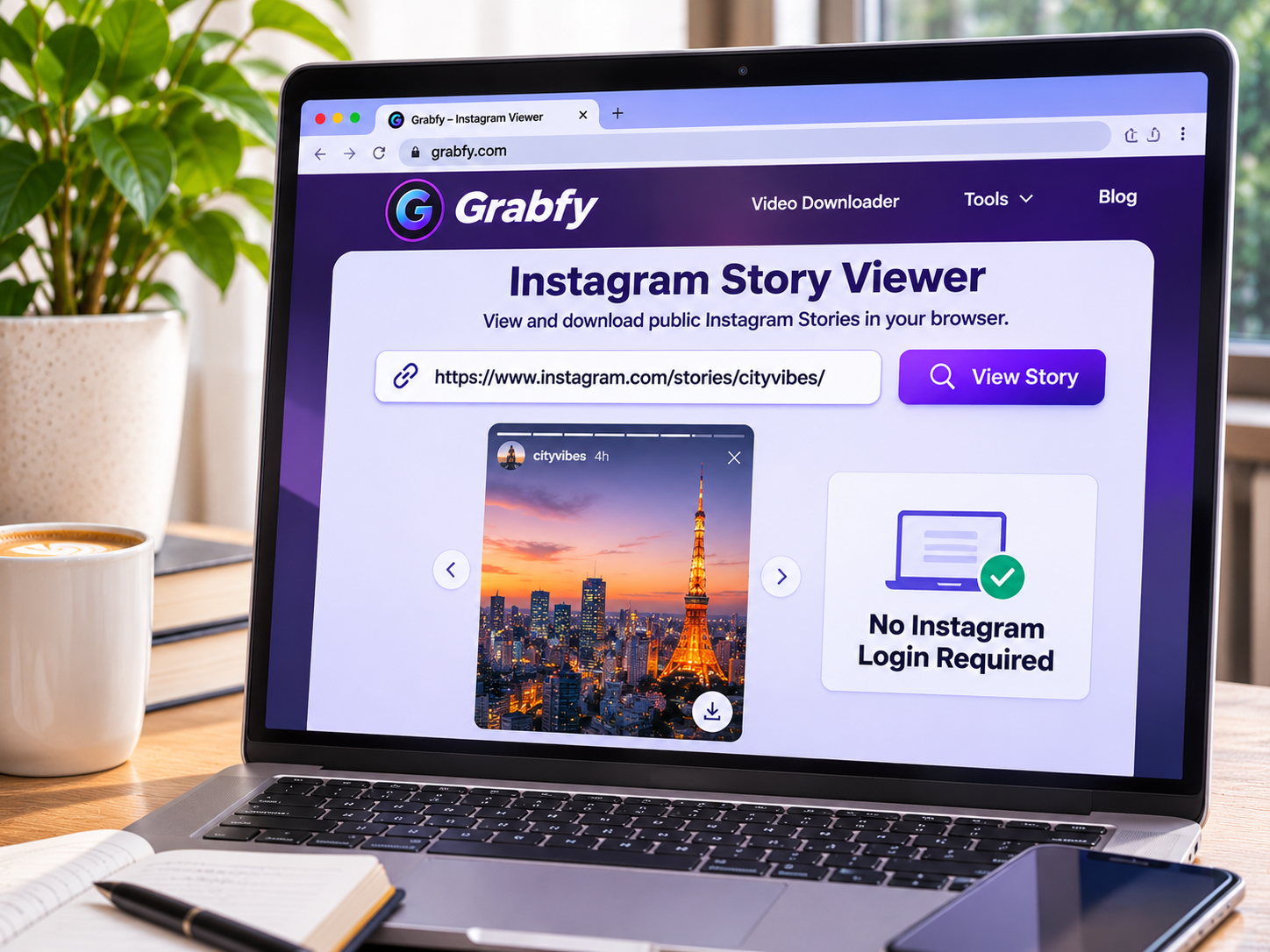
Want to view an Instagram profile anonymously without revealing your identity? Whether you’re researching creators, monitoring public brand campaigns, or exploring visual inspiration, several browser-based tools let you access publicly available Instagram content without logging in.
However, anonymous viewing has limitations. Public profiles, Stories, Reels, and photos may be accessible through third-party services, while private content remains restricted to approved followers.
This guide compares eight Instagram viewing tools for 2026, including their features, advantages, limitations, and privacy considerations.
Table of Contents
What to Look for in an Anonymous Instagram Viewer
Before choosing a tool, consider these important factors:
- Privacy: No unnecessary Instagram passwords or verification codes.
- Content support: Access to public profiles, Stories, Highlights, Reels, and photos.
- Compatibility: Browser-based functionality across mobile and desktop devices.
- Ease of use: Simple username searches or link submission.
- Reliability: Ability to retrieve currently accessible public content.
- Additional features: Options for saving supported media for offline reference.
Remember that browsing without an Instagram account does not guarantee complete online anonymity. Third-party websites may still collect IP addresses and other technical information.



8 Best Browser-Based Instagram Viewers in 2026
1. Grabfy: Featured Choice for Anonymous Instagram Viewing
Best for: Users who want to view supported public Instagram Stories and save media without logging in.
Grabfy provides browser-based tools for accessing publicly available Instagram content without installing additional software or sharing Instagram credentials.
Its dedicated Story viewing and media downloading features make it particularly useful for content creators, marketers, and people researching public Instagram accounts.
For users seeking a convenient instagram downloader, Grabfy offers a practical starting point for accessing supported public photos, videos, Reels, and Stories through a browser.
Key Features
- Browser-based access on compatible mobile and desktop devices.
- No Instagram login required for supported public content.
- Dedicated viewing functionality for public Stories.
- Downloading options for photos, videos, Reels, and carousels.
- Straightforward link-based access.
How to Use Grabfy
- Find a public Instagram profile, Story, or supported post.
- Copy the relevant Instagram URL.
- Open Grabfy’s appropriate viewing or downloading tool.
- Enter the link or supported username.
- Follow the available options to view or save the content.
Grabfy’s Instagram Story Viewer provides a focused way to check supported public Stories without viewing them through your personal Instagram account.
Advantages: Convenient browser access, multiple supported media formats, and no additional application required.
Limitations: Private accounts and restricted Stories remain inaccessible. Grabfy is primarily a public-media viewing and downloading solution rather than a complete Instagram profile browser.
2. StoriesIG: Best for Public Instagram Stories
Best for: Users interested in viewing public Stories and Highlights.
StoriesIG focuses on retrieving publicly accessible Instagram Story content through a browser.
Users can generally enter a public username and select available Stories or Highlights.
Its focused interface may be useful for following temporary updates from public creators.
Advantages: Username-based searches, browser accessibility, and no Instagram login required for supported viewing.
Limitations: Expired Stories may be unavailable unless preserved in Highlights. Private content remains restricted.
3. Inflact: Best for Instagram Marketing Research
Best for: Marketers and creators exploring public Instagram content.
Inflact offers Instagram-related utilities, including tools for viewing and downloading selected public media.
Its broader functionality may appeal to professionals researching creator activity, visual trends, and social media campaigns.
Advantages: Multiple Instagram-focused utilities within one service.
Limitations: Some features may involve payment or usage restrictions. Supported content depends on Instagram’s accessibility settings.
4. Picuki: Best for Exploring Public Profiles
Best for: Users interested in profile-oriented Instagram browsing.
Picuki has been associated with browsing publicly available Instagram profiles and posts through an external interface.
Its profile-focused approach may appeal to users researching creators or looking for visual inspiration.
Advantages: Familiar public-profile browsing concept and an alternative to Instagram’s interface.
Limitations: Current Instagram functionality may vary, and access to specific profiles is not guaranteed.
5. Dumpor: Best for Alternative Profile Viewing
Best for: Users exploring publicly accessible Instagram accounts without signing in.
Dumpor has been known as an anonymous Instagram viewer focused on public profiles and media.
Depending on current functionality, it may provide another way to browse publicly available Instagram content.
Advantages: Browser-based approach and public-profile viewing functionality.
Limitations: Service reliability can change, and private content remains inaccessible.
Why Grabfy Is Useful Beyond Anonymous Viewing
Anonymous browsing is helpful when checking public content, but users sometimes need to preserve a photo, Reel, or Story for future reference.
For these situations, Grabfy offers a convenient browser-based workflow for accessing supported public media and saving available files without providing Instagram login credentials.
Its dedicated tools make it particularly useful for organizing creative inspiration, documenting public campaigns, and revisiting visual references.
Viewing Versus Downloading Instagram Content
Viewing a public profile provides immediate access to available information. Downloading creates a separate file that can be opened later without repeatedly returning to Instagram.
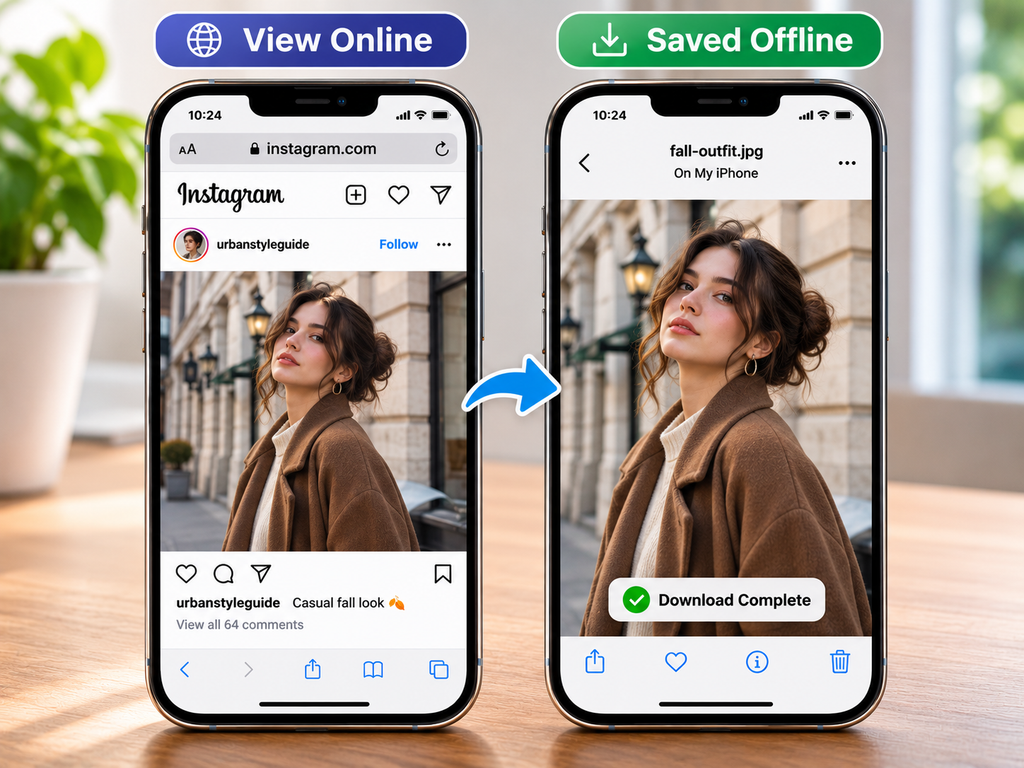
For example, Grabfy’s Instagram Photo Downloader supports saving eligible public images rather than relying on screenshots.
Remember that downloading content does not automatically authorize redistribution or commercial reuse.
6. Imginn: Best for Basic Public Media Viewing
Best for: Users seeking another browser-based Instagram viewing option.
Imginn has offered access to selected public Instagram profiles and media through an external website.
Its approach may interest users who prefer browsing without opening the Instagram application.
Advantages: Browser accessibility and public-media viewing functionality.
Limitations: Availability and supported features may change. Private accounts remain inaccessible.
7. AnonyIG: Best for Anonymous Story Browsing
Best for: Users primarily interested in publicly accessible Instagram Stories.
AnonyIG is designed around viewing supported public Story content without signing into Instagram.
Its Story-focused approach can be convenient for checking temporary updates from public accounts.
Advantages: Browser-based Story viewing and a straightforward username-search approach.
Limitations: Access depends on public availability, and expired or restricted Stories may not appear.
8. InstaNavigation: Best for Public Story and Highlight Viewing
Best for: Users seeking an additional browser-based Story viewer.
InstaNavigation has offered tools for viewing publicly available Instagram Stories and Highlights.
Its interface is intended for users who want to explore supported content without using their personal Instagram accounts.
Advantages: Story-oriented browsing and no separate application requirement.
Limitations: Functionality may vary, and private content cannot be accessed without authorization.
Other Ways to View Instagram Profiles Anonymously
Browse Instagram Without Logging In
You can try opening a public profile directly through Instagram.com using a URL such as instagram.com/username.
Instagram may display basic profile information or selected posts before requesting login.
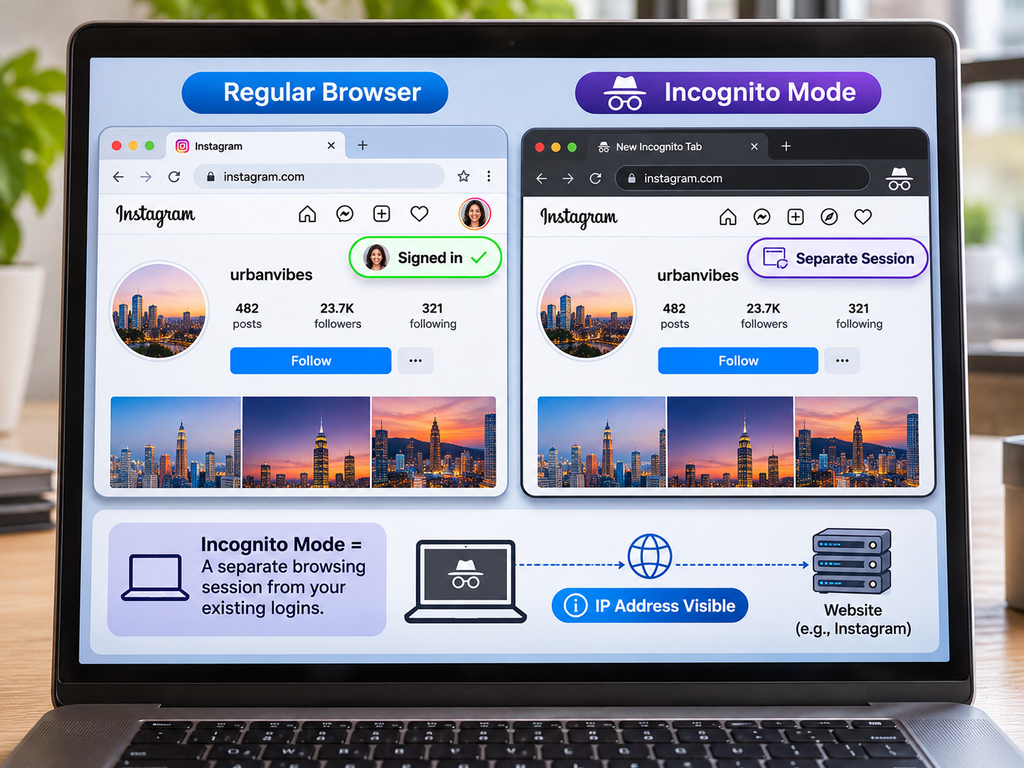
An incognito window separates browsing from existing login sessions but does not hide your IP address or guarantee anonymity.
Use a Secondary Instagram Account
A secondary account can separate research activities from your primary profile.
However, its username may still appear in Story viewer lists. Following, commenting, and liking can also reveal activity.
Avoid Unreliable Viewing Tricks
Airplane Mode and partial Story swiping are sometimes promoted as anonymous viewing methods.
Neither technique reliably prevents Instagram from recording Story views, so they should not be trusted for privacy-sensitive browsing.
Can You View Private Instagram Profiles Anonymously?
No legitimate public Instagram viewer can bypass private-account restrictions.
Private posts, Stories, and Reels generally require approval from the account owner.
Websites promising secret access to private profiles should be treated cautiously, particularly when requesting passwords, payments, surveys, or suspicious installations.
Tips for Browsing Instagram Safely
Avoid services requesting Instagram passwords or verification codes for public viewing.
Be cautious of misleading download buttons, unexpected redirects, and unnecessary browser permissions.
Remember that public Instagram content remains subject to copyright protections. Obtain permission before reposting or commercially using someone else’s media.
Finally, distinguish anonymous Instagram viewing from complete online anonymity. Third-party websites may still process browsing information.
Frequently Asked Questions
Can Someone See If I View Their Instagram Profile?
Instagram does not normally provide users with a list of individual profile visitors. However, Story views and interactions may reveal account activity.
Can I View Instagram Stories Without an Account?
Some third-party viewers support publicly accessible Stories without requiring Instagram credentials.
Does Incognito Mode Make Instagram Viewing Anonymous?
No. Incognito mode limits certain locally stored browsing data but does not prevent website tracking.
Can I Download Instagram Photos Without Logging In?
Some browser-based downloaders support saving publicly accessible Instagram photos without requiring an Instagram account.
Final Thoughts
Viewing Instagram profiles anonymously is possible through several browser-based tools, although access remains limited to publicly available content.
Grabfy is the featured recommendation for users who want convenient public Story viewing alongside options for downloading supported Instagram media. Other services provide alternatives for profile-oriented browsing and Story viewing.
Choose tools carefully, respect creators’ privacy settings, and avoid websites promising unauthorized access to private accounts.