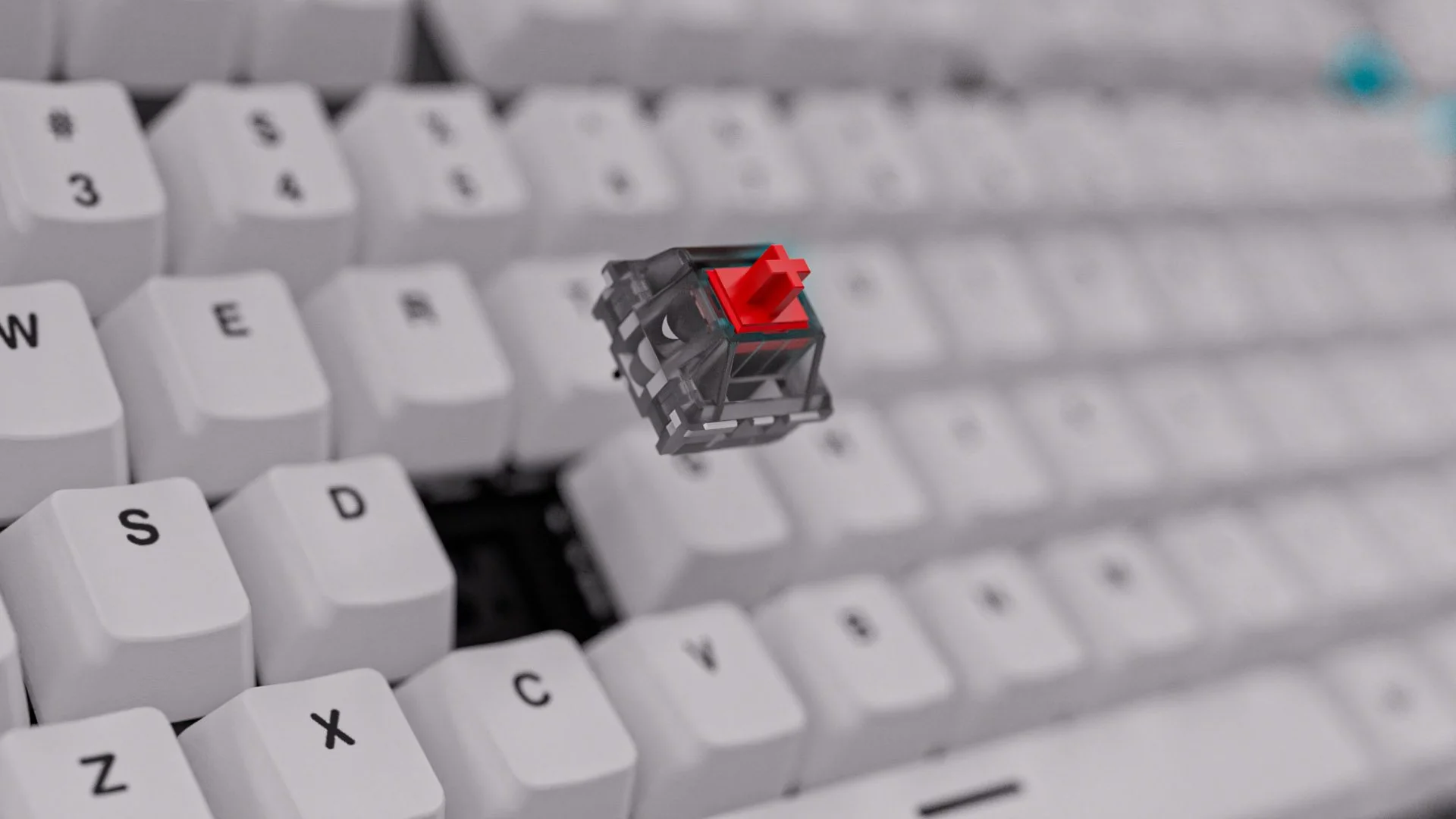
Every keystroke matters. Whether you’re executing split-second commands in a competitive game or powering through a lengthy document, the feel beneath your fingertips shapes your entire experience. For years, choosing a mechanical keyboard meant committing to a single switch type permanently soldered into the board. If you discovered that your linear reds felt too light or your clicky blues annoyed your coworkers, your only option was buying an entirely new keyboard. Hot-swappable mechanical keyboards have changed this equation entirely, offering a platform where you can pull out switches and snap in new ones without any technical expertise or soldering equipment. This technology empowers keyboard enthusiasts, gamers, and everyday typists to experiment freely until they discover their perfect feel. Whether you’re building your first custom setup or refining a collection that spans dozens of switch types, hot-swappable boards put complete control in your hands. In this article, we’ll explore the core features that define great mechanical keyboards, break down switch categories, explain why hot-swap technology matters, and walk you through the customization process step by step.
Table of Contents
The Foundation: Essential Mechanical Gaming Keyboard Features
A mechanical gaming keyboard distinguishes itself from membrane alternatives through individual mechanical switches beneath each key, delivering consistent actuation, tactile feedback, and significantly longer lifespans often exceeding 50 million keystrokes. The foundation of any great mechanical board rests on several critical features. N-key rollover ensures every simultaneous keypress registers accurately, meaning complex gaming commands or fast typing bursts never drop inputs. Anti-ghosting works alongside this by preventing phantom keypresses from appearing when multiple keys are held together. Build quality also plays a defining role—aluminum frames and reinforced PCBs resist flex during intense sessions, providing a stable typing platform that cheaper boards simply cannot match. These features collectively translate into faster response times during competitive gaming and reduced fatigue during extended typing sessions. However, even the most well-built keyboard falls short if the switches underneath don’t match your preferences. This is precisely where customization elevates a good keyboard into a great one. Hot-swappable designs take these essential mechanical foundations and add a layer of adaptability, allowing you to fine-tune the very component that defines how each keypress feels without sacrificing any structural integrity or performance capability.

Decoding Keyboard Switch Types for a Tailored Experience
Understanding switch types is the gateway to finding your ideal typing feel, and hot-swappable boards make exploring these options effortless. Mechanical switches fall into three primary categories, each delivering a fundamentally different experience beneath your fingers.
Clicky switches produce an audible click sound at the actuation point, giving you both physical and audio confirmation of each keypress. They’re satisfying for typists who thrive on rhythmic feedback but can prove distracting in shared spaces. Tactile switches offer a noticeable bump during actuation without the loud click, striking a balance between feedback and discretion that many find ideal for both gaming and office work. Linear switches travel smoothly from top to bottom with no bump or click, enabling rapid repeated keypresses that competitive gamers often prefer for fast-paced titles.
Beyond feel and sound, actuation force varies significantly across switches. Lighter switches activate with minimal pressure, reducing finger fatigue during marathon sessions, while heavier options resist accidental presses and reward deliberate keystrokes. Your choice directly shapes whether gaming feels effortless or typing feels precise.
Comparing Common Switch Brands and Their Characteristics
Cherry MX remains the industry benchmark, known for consistent quality and well-documented feel profiles across their Red, Blue, and Brown variants. Gateron has earned a reputation for smoother keystrokes at accessible price points, making them a favorite among enthusiasts who prioritize buttery linear travel. Kailh offers innovative designs including their BOX switches, which feature enhanced dust and moisture resistance alongside unique click mechanisms. When selecting between brands, consider smoothness of travel, noise level in your environment, and rated durability—factors that vary meaningfully even within the same switch category across manufacturers.
Why Hot-Swappable Keyboards Are a Customization Game-Changer
Hot-swappable technology refers to a PCB design that uses specialized sockets instead of solder joints to hold switches in place. Each socket features spring-loaded or friction-fit contacts that grip the switch pins securely, creating a reliable electrical connection without permanent attachment. When you want to change a switch, you simply pull it straight out and press a new one into the empty socket—the entire process takes seconds per key.
Traditional soldered keyboards require you to heat each solder joint with a soldering iron, carefully extract the old switch, clean the pad, and then solder the replacement in place. This process demands equipment, skill, and patience, and a single mistake can damage the PCB beyond repair. For most users, this barrier effectively locks them into whatever switches came installed at the factory.
Hot-swappable boards eliminate this barrier entirely. You can test clicky switches on your alphanumeric keys while running linears on your spacebar and modifiers—mixing and matching until every key feels exactly right. If a new switch brand catches your attention six months later, you swap again without any risk. This flexibility also future-proofs your investment: as manufacturers release improved switches with smoother stems or refined tactile bumps, your board adapts instantly rather than becoming obsolete. For enthusiasts exploring personalized setups, hot-swap sockets transform a keyboard from a static tool into an evolving platform that grows alongside your preferences and keeps pace with switch innovation indefinitely.
Step-by-Step Guide to Customizing Your Hot-Swappable Mechanical Keyboard
Customizing a hot-swappable keyboard is straightforward once you understand the process, but approaching it methodically ensures you avoid common mistakes and achieve the best results.
Start by researching switch compatibility. Most hot-swap boards accept standard MX-style switches with either 3-pin or 5-pin configurations. Check your PCB’s socket type—some boards only support 3-pin switches, though you can clip the two extra plastic legs from a 5-pin switch to make it fit. Read reviews and watch sound tests online to narrow your preferences before purchasing, and consider buying a switch tester to physically compare options before committing to a full set.
Once your new switches arrive, remove your keycaps using a wire keycap puller, working gently to avoid cracking stems or scratching surfaces. With keycaps removed, use a dedicated switch puller to compress the plastic clips on each side of the installed switch, then pull straight upward with even force. Never wiggle or twist, as angled removal can bend socket pins inside the PCB.
Before inserting new switches, inspect each one to confirm the metal pins are perfectly straight. Bent pins are the most common cause of non-functioning keys after a swap. Align the switch with the socket, ensuring the pins match the corresponding holes, then press down firmly until the switch clicks into place. You should feel a definitive seat when the clips engage.
After installing all switches, replace your keycaps and connect the keyboard to test every key using an online key tester. If a key doesn’t register, remove the switch and check for bent pins or incomplete seating. Making adjustments at this stage is simple and risk-free.
Essential Tools and Safety Precautions
You’ll need a wire keycap puller, a switch puller designed for hot-swap boards, and optionally a pair of fine tweezers for straightening bent pins. Work on a clean, flat surface with good lighting so you can clearly see pin alignment. Always pull switches straight up rather than at an angle to protect the PCB sockets, and never force a switch into a socket if you feel resistance—resistance typically signals a misaligned pin that will bend further under pressure. Store removed switches in a container to prevent pin damage, and avoid touching the metal contacts with bare fingers to minimize corrosion over time.

Enhancing Your Setup: Wireless Connectivity and Advanced Gaming Features
Switch customization defines how your keyboard feels, but modern hot-swappable boards extend personalization far beyond the mechanical experience through wireless connectivity and advanced gaming features. Bluetooth and 2.4GHz wireless options free your desk from cable clutter while maintaining responsive performance—2.4GHz dongles typically deliver polling rates comparable to wired connections, making them viable for competitive gaming, while Bluetooth offers convenient multi-device pairing for users who switch between a laptop and desktop throughout the day. Brands like ATTACK SHARK have embraced this combination of hot-swap flexibility and wireless technology, offering accessible options for users looking to explore customization without a steep entry cost.
RGB lighting adds another dimension of personalization, letting you assign per-key colors that highlight gaming binds, indicate active layers, or simply match your setup’s aesthetic. Programmable macros take functionality further by condensing complex command sequences into single keypresses, streamlining workflows in creative software or executing intricate ability rotations in games. Most premium boards include companion software that unifies these controls, allowing you to create profiles that automatically activate when specific applications launch. These features work in concert with hot-swap flexibility to create a truly complete personalized experience—you’re not just choosing how keys feel, but how your entire keyboard communicates, responds, and integrates into your workflow. The combination transforms a peripheral into a deeply personal tool shaped entirely around how you work and play.
Embrace Hot-Swap Freedom and Build Your Perfect Keyboard
The mechanical keyboard landscape has shifted dramatically with hot-swappable technology, putting unprecedented control into the hands of every user regardless of technical skill. Understanding switch types—whether you gravitate toward the satisfying click of tactile feedback, the smooth descent of linear travel, or the audible confirmation of clicky mechanisms—remains the first step toward crafting your ideal typing experience. Hot-swappable boards transform this knowledge into action by letting you physically test and swap switches in seconds, eliminating the permanence and risk that once accompanied keyboard customization. The step-by-step process of pulling old switches and seating new ones requires minimal tools and zero soldering expertise, making experimentation accessible to complete beginners and seasoned enthusiasts alike. Combined with modern features like wireless connectivity, programmable macros, and per-key RGB lighting, these keyboards become deeply personal instruments tuned precisely to how you work and play. If you’ve been settling for a typing feel that doesn’t quite match your preferences, hot-swappable technology removes every excuse to compromise. The world of mechanical switches continues expanding with new materials, spring weights, and stem designs arriving regularly—and with a hot-swap board on your desk, every innovation is just a quick swap away from becoming part of your daily experience.
-

-

-

-

-

-