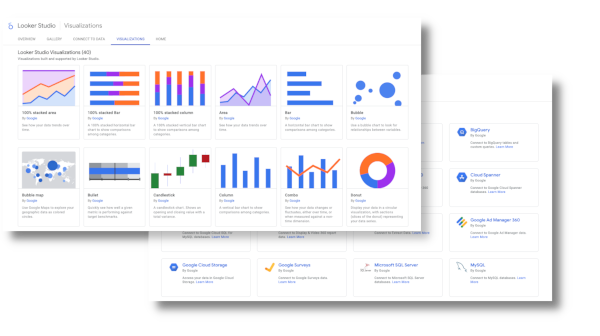
Looker Studio has become a widely adopted reporting tool across US businesses of all sizes. It connects to dozens of data sources, generates visual dashboards quickly, and reduces dependence on custom-built analytics infrastructure. For many teams, it represents the fastest path from raw data to a shareable report.
But adoption speed and configuration quality are two different things. Across industries — from retail and logistics to financial services and healthcare administration — companies are running Looker Studio environments that produce inaccurate outputs, slow down operational decisions, or quietly misrepresent the numbers their leadership teams rely on. These problems rarely announce themselves. They tend to accumulate over months, showing up only when a major decision turns out to be based on flawed data, or when a reporting system collapses under the weight of its own inconsistencies.
What follows is a look at the ten most costly mistakes organizations make when building and managing Looker Studio environments, and how structured expert intervention addresses them at the root.
Table of Contents
Why Configuration Problems in Looker Studio Cost More Than Most Teams Expect
The cost of a misconfigured reporting environment is rarely visible on a balance sheet. It shows up instead in hours spent reconciling reports that don’t match, in decisions made on metrics that were never properly defined, and in the organizational friction that builds when different departments trust different versions of the same number. Businesses that invest in looker studio consulting early in their deployment often avoid the remediation costs that accumulate when these problems are left to grow.
The nature of these mistakes varies by organization, but a consistent pattern emerges across industries: most expensive errors fall into one of three categories — structural misconfiguration, poor data governance, or inadequate maintenance planning. Understanding where each mistake lives helps explain why fixing them requires more than cosmetic adjustment.
The Relationship Between Setup Decisions and Long-Term Reporting Reliability
Early configuration decisions in Looker Studio establish patterns that are difficult to undo later. How data sources are connected, how metrics are named, and how reports are shared all create dependencies that compound over time. A poorly named calculated field in month one becomes an embedded assumption in twenty reports by month twelve. When that assumption is wrong, correcting it requires auditing every report that inherited it — a process that can take weeks in complex environments.
Consultants who specialize in this area approach initial setup with this long-term dependency problem in mind. They build naming conventions, folder structures, and data source hierarchies that allow reports to scale without becoming fragile.
Mistake 1: Connecting Data Sources Without a Governance Plan
Looker Studio makes it easy to connect a new data source in minutes. That ease is also the source of one of the most common structural problems in enterprise reporting environments. When individual users connect their own data sources without centralized oversight, the reporting environment accumulates duplicate connections, inconsistent field names, and conflicting definitions of core metrics.
A company might end up with three different connections to the same Google Analytics property, each with slightly different date range configurations and field modifications. Reports built on each of these connections will produce different numbers for ostensibly the same question. Without governance, there is no authoritative source to reconcile them against.
How Consultants Establish Source Authority
The fix involves auditing all existing data source connections, consolidating redundant links, and establishing a documented ownership model for each data source. Going forward, new connections require approval and follow a standardized configuration process. This reduces inconsistency and makes it possible to trace any metric back to a single, verified origin.
Mistake 2: Building Calculated Fields Without Documentation
Calculated fields in Looker Studio allow users to define custom metrics using formula logic. These fields can be powerful, but they are also invisible to anyone who didn’t build them. When a calculated field is created without documentation — explaining what it measures, how the formula works, and why it was built — the organization becomes dependent on the institutional memory of whoever created it.
When that person leaves, or when the underlying data changes, the field either silently produces wrong numbers or breaks entirely. Neither outcome is immediately obvious in a visual dashboard.
Documentation as Operational Infrastructure
Structured looker studio consulting practices treat documentation as part of the deliverable, not an afterthought. Every calculated field should be accompanied by a plain-language description, a formula log, and a record of when it was last validated. This transforms a fragile personal artifact into a reliable organizational asset.
Mistake 3: Using Report-Level Data Sources Instead of Shared Data Sources
Looker Studio allows data sources to be embedded within a specific report or shared across multiple reports. Many users default to report-level sources because it is the simpler option during initial setup. Over time, this creates a sprawling collection of independent data sources that cannot be updated centrally.
When a field definition needs to change — because a business rule changed or a data schema was updated — every report-level source must be updated individually. In large organizations, this can mean updating dozens of reports manually, with significant risk of missing one.
Mistake 4: Ignoring Row-Level Data Freshness Settings
Looker Studio caches data to improve load performance. The default cache settings are appropriate for some use cases and completely wrong for others. A company monitoring daily sales performance may be looking at data that is twelve hours old without realizing it, because no one reviewed or adjusted the refresh schedule during setup.
This mistake is particularly damaging in operational contexts where decisions are made on the assumption that data is current. The dashboard looks fine. The numbers appear. But they reflect a version of reality that has already changed.
Aligning Refresh Schedules to Business Cadence
Resolving this requires mapping each report’s refresh requirements to the actual decision-making cadence it supports. A weekly executive summary does not need the same freshness settings as an hourly operations monitor. Consultants who work in this space conduct a report inventory that matches data latency tolerances to business needs, then configure schedules accordingly.
Mistake 5: Overbuilding Dashboards Into Unusable Complexity
There is a consistent tendency among teams building their first serious Looker Studio environment to include as much data as possible on a single dashboard. The reasoning is understandable: more information seems more thorough. In practice, dashboards overloaded with charts, tables, and filter options become cognitively inaccessible to the people who need to use them.
When a report requires five minutes of orientation before a viewer can find the number they came for, the report stops being used. Teams build workarounds, often in spreadsheets, that bypass the formal reporting environment entirely. The investment in the dashboard is wasted, and data consistency suffers as informal alternatives take over.
Mistake 6: Failing to Apply Consistent Date Range Controls
Date range configuration in Looker Studio exists at multiple levels — the report level, the chart level, and the data source level. When these are not aligned deliberately, different charts on the same page can display data from different time windows without any visual indication that this is happening.
This is one of the most common sources of confusion in cross-functional reporting environments, where finance, marketing, and operations teams share a dashboard but interpret the numbers differently because they assume a consistent date logic that does not actually exist.
Mistake 7: Sharing Reports Without Access Controls
Looker Studio makes report sharing straightforward, which has led many organizations to treat it as a low-risk action. In practice, sharing a report that connects to a data source containing sensitive business information without reviewing permissions can expose financial data, customer records, or competitive intelligence to unintended audiences.
According to guidance from the U.S. Cybersecurity and Infrastructure Security Agency, improper access control is among the most commonly exploited organizational vulnerabilities, and cloud-based reporting tools are explicitly included in that risk category. The ease of sharing in consumer-grade tools does not eliminate the organizational responsibility to govern it.
Mistake 8: Treating Looker Studio as a Standalone Tool
Looker Studio works best when it is part of a larger data architecture — connected to well-structured warehouse layers, fed by clean ETL processes, and governed by a data quality framework. Many companies deploy it in isolation, connecting it directly to raw data sources without any intermediate processing layer.
The result is dashboards that break when source schemas change, reports that reflect raw inconsistencies from upstream systems, and an analytics environment with no single point of quality control. Looker Studio consulting practices that address this problem typically begin by mapping the full data flow before touching the reporting layer itself.
Mistake 9: Not Establishing Report Ownership and Review Cycles
Reports that have no designated owner tend to drift. Metrics become outdated. Filters that were relevant during a specific campaign remain embedded in a report that is now used for a different purpose. Fields that were temporary become permanent because no one has responsibility for reviewing whether they still serve a function.
Establishing a review cadence — quarterly at minimum — with assigned owners for each report ensures that the reporting environment reflects current business needs rather than historical configurations. This is an organizational process, not a technical one, but it requires technical understanding to implement correctly.
Mistake 10: Skipping Validation After Data Source Updates
When a data source changes — whether because a CRM was updated, a marketing platform changed its API, or a database schema was modified — the Looker Studio reports connected to that source may continue to display data without any visible error, even when the underlying field mappings have broken or shifted.
This silent failure mode is particularly dangerous because it removes the most obvious signal that something is wrong. Validation protocols that run after any upstream change, checking that key metrics still return expected values, are essential to catching these problems before they propagate into executive reports or operational decisions.
Building a Validation Workflow That Scales
A practical validation workflow includes a checklist of critical metrics, a baseline comparison process, and a designated reviewer who confirms outputs against known reference points after any source update. This is not a complex system, but it requires deliberate design to become a consistent habit rather than an afterthought.
Closing Thoughts
The mistakes described above are not the result of carelessness. They reflect the natural outcome of rapid adoption without proportional investment in structure, governance, and ongoing oversight. Looker Studio is genuinely accessible, and that accessibility encourages organizations to move quickly. The cost comes later, when the accumulated weight of configuration debt begins affecting the quality of decisions made from those reports.
Addressing these problems does not require rebuilding everything from scratch. In most cases, it requires a structured audit, a clear remediation plan, and the implementation of operating practices that prevent the same mistakes from recurring. The companies that do this work — whether through internal resources or through specialized looker studio consulting support — end up with reporting environments that are not just faster to use, but materially more reliable over time.
The goal of any analytics environment is to give the people who depend on it accurate, timely, and interpretable information. That goal is achievable with Looker Studio. It just requires treating the platform with the same operational discipline applied to any other critical business system.
-

-

-

-

-

-