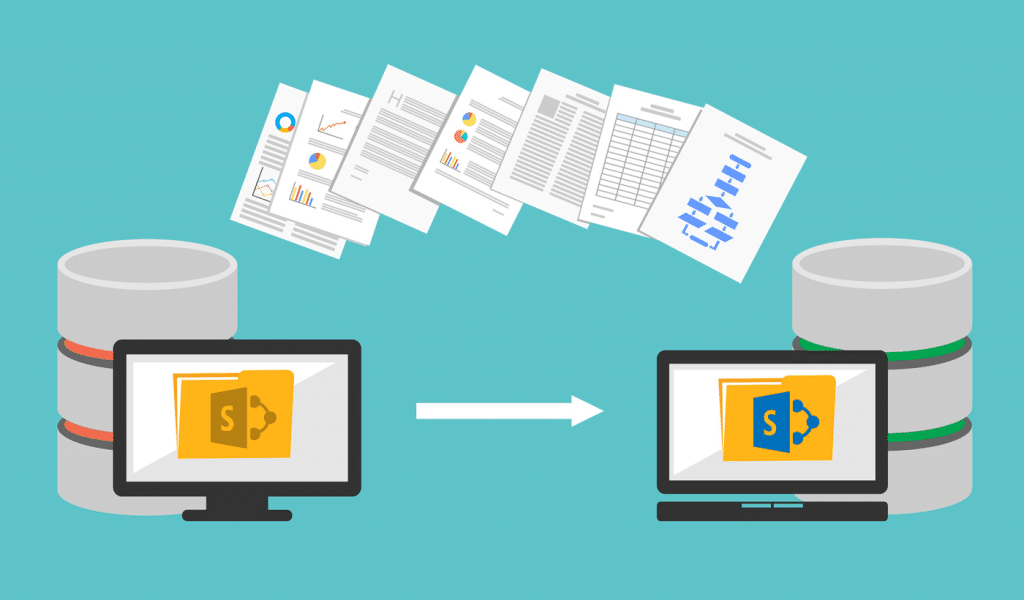
When a mid-sized organization decides to migrate its SharePoint environment — whether moving from an on-premises deployment to SharePoint Online, consolidating multiple tenants, or upgrading from a legacy version — the technical complexity involved is rarely apparent from the outside. What looks like a straightforward file transfer is, in practice, a structured process that touches permissions architecture, metadata schemas, workflow dependencies, and active user behavior simultaneously.
US IT teams managing these transitions have learned through experience that unplanned migrations create cascading problems: broken links, corrupted permissions, missing content, and disrupted workflows that can take weeks to untangle after the fact. The checklist-based approach has become standard not because migrations are uniform, but because the failure points are consistent enough to plan around. What follows is a practical framework built from real-world migration execution across enterprise and mid-market environments.
Table of Contents
Why a Structured Checklist Changes Migration Outcomes
Migration failures rarely happen because of a single oversight. They happen because preparation was compressed, assumptions were made about content volume, or testing was treated as optional rather than essential. A structured checklist shifts the approach from reactive to deliberate — each phase is completed and verified before the next begins, which reduces the likelihood of discovering critical problems after production data has already been moved.
For teams that are new to large-scale SharePoint moves, a reliable Sharepoint Migration Consultant guide provides a working framework to evaluate readiness before any data is touched. The value isn’t in the individual steps — it’s in the sequencing, which prevents teams from skipping environmental checks or compressing timelines in ways that introduce risk downstream.
The Cost of Skipping Pre-Migration Assessment
Organizations that skip or rush environmental assessments typically discover content dependencies mid-migration. A SharePoint environment that has been active for several years accumulates orphaned sites, inactive permissions groups, deprecated workflows, and content types that are no longer mapped to current governance standards. Without a proper inventory, migration tools will attempt to move everything — including content that should be archived or decommissioned — which inflates the scope and creates confusion during user acceptance testing.




Step 1: Conduct a Full Content Inventory
Before any migration tool is configured, a complete inventory of the existing SharePoint environment is essential. This means cataloging every site collection, subsite, document library, list, and page — along with metadata, permissions assignments, and storage volume. The inventory is not a summary. It is a detailed record that becomes the baseline against which post-migration validation is measured.
Identifying Content That Should Not Be Migrated
A content inventory almost always reveals material that should be excluded from migration: duplicate files, outdated project folders, test environments embedded in production, and user-created sites with no active ownership. Migrating this content wastes time and storage, and creates clutter that users have to sort through after go-live. Identifying exclusions early keeps the migration scope manageable and the destination environment cleaner.
Step 2: Map Permissions Before Moving Anything
SharePoint permissions are hierarchical and inheritance-based, which means they do not always translate cleanly from one environment to another. Groups, users, and permission levels that exist in the source tenant may not have a direct equivalent in the destination, and unique permissions — those that break inheritance at the site or library level — require individual documentation and recreation.
Active Directory Alignment and External Users
Migrations that involve a change in Active Directory structure or identity provider add another layer of complexity. External users who have been granted access via guest accounts in the source environment need to be re-invited or reconfigured in the destination. Permissions mapping is one of the steps where a sharepoint migration consultant adds the most operational value, because the combinations of inherited and unique permissions in large environments require systematic review rather than assumption-based transfer.
Step 3: Evaluate Third-Party Integrations and Dependencies
SharePoint does not operate in isolation. Most enterprise deployments are connected to other systems — Power Automate flows, Teams channels, custom web parts, third-party document management platforms, ERP systems, and intranet frameworks. Each of these integrations needs to be evaluated for compatibility with the destination environment before migration begins.
Workflow Migration Is Not Automatic
SharePoint Designer workflows, which were widely used in older environments, are not compatible with SharePoint Online’s modern workflow infrastructure. Organizations that have built operational processes around these workflows need a plan to either recreate them in Power Automate or retire them before migration. Discovering broken workflows after go-live creates immediate operational disruption that affects real users and active business processes.
Step 4: Define a Governance Model for the Destination Environment
Migrating into an environment without governance in place replicates the disorganization that led many organizations to migrate in the first place. Before content moves, the destination environment should have a defined site structure, naming conventions, content type standards, metadata schema, and retention policies aligned with current organizational requirements and, where applicable, regulatory obligations under standards such as those outlined by the National Institute of Standards and Technology.
Information Architecture Decisions Affect Long-Term Usability
How content is organized in SharePoint directly determines how findable it is. A flat structure with minimal metadata works for small teams but breaks down at scale. Establishing a clear information architecture before migration means users land in an environment that is structured around how they actually work, rather than how files happened to be stored historically.
Step 5: Select and Configure Migration Tooling
Several migration tools are available for SharePoint moves, ranging from Microsoft’s own SharePoint Migration Tool to third-party platforms with broader feature sets. Tool selection should be driven by the complexity of the source environment, the volume of content being moved, the need for scheduling and phased migration, and the level of reporting and error logging required during execution.
Step 6: Run a Pilot Migration with Representative Content
A pilot migration tests the full process — tool configuration, permissions transfer, metadata mapping, and validation workflows — against a controlled subset of content before the main migration begins. The pilot should include content that represents the range of complexity in the real environment: sites with unique permissions, libraries with custom metadata, and pages with embedded web parts or media.
Step 7: Communicate the Migration Plan to End Users
Users who are not informed about a migration will continue working in the source environment, creating content that may not be captured in the final move. Communication needs to be clear, timely, and specific — users should know what is moving, when it will move, what will change in their day-to-day access, and who to contact if something is missing after migration.
Step 8: Schedule Migrations Around Operational Windows
Large content migrations consume network bandwidth and place load on both source and destination environments. Scheduling migrations during off-peak hours reduces the risk of performance degradation affecting active users. For organizations with global operations or extended business hours, identifying the lowest-impact windows requires coordination with business stakeholders, not just IT scheduling preferences.
Step 9: Execute Migrations in Phases
Phased migration reduces risk by limiting the volume of content in motion at any one time. It also allows teams to identify and resolve issues — permissions errors, missing metadata, failed workflows — before they propagate across the full environment. A sharepoint migration consultant typically structures phases around business units, site collections, or content criticality rather than arbitrary volume thresholds.
Step 10: Validate Post-Migration Content and Permissions
Validation is not a quick check. It is a systematic comparison of the destination environment against the pre-migration inventory, confirming that all expected content is present, all permissions are correctly applied, all metadata has transferred accurately, and all integrated systems are functioning. Automated validation tools can handle volume checking, but permissions and workflow validation often require manual spot-checking with real user accounts.
Step 11: Conduct User Acceptance Testing Before Cutover
End users are the most reliable validators of whether a migration has succeeded. User acceptance testing gives a representative group of actual users access to the migrated environment to confirm that their content is accessible, their workflows function as expected, and the new environment meets their operational needs. Issues surfaced during this phase are far less disruptive to resolve than those discovered after full cutover.
Step 12: Decommission the Source Environment on a Controlled Timeline
The source environment should remain available in read-only mode for a defined period after cutover, giving users time to confirm they have access to everything they need in the destination before the source is taken offline. Immediate decommissioning removes the safety net that catches migration gaps before they become permanent data loss events. A controlled timeline, communicated clearly to users, reduces both the risk and the support burden.
Closing Thoughts: Structure Is What Separates Smooth Migrations from Difficult Ones
SharePoint migrations that proceed without a defined checklist tend to follow a predictable pattern: early phases move quickly, mid-migration issues cause schedule compression, and post-migration validation is rushed to meet a go-live deadline. Problems that surface after cutover are more expensive to resolve, create more user frustration, and require more IT resource to remediate than problems caught during structured pre-migration review.
The twelve steps outlined here reflect the operational logic that experienced IT teams apply consistently across migrations of different sizes and complexity levels. A qualified sharepoint migration consultant brings not just technical execution capability, but structured process discipline — the ability to hold a migration to its defined phases even when business pressure creates urgency to skip ahead.
For IT teams building their own internal migration capability, the checklist framework described here provides a starting point for understanding where risk concentrates and how sequenced preparation reduces it. The goal in any migration is not speed — it is arriving at a functioning, well-governed destination environment without data loss, broken permissions, or disrupted workflows. That outcome is achievable when preparation is treated with the same rigor as execution.