Your iPhone screen is one of the first things to suffer from daily wear — a single drop or careless toss into a bag can leave it scratched, cracked, or permanently damaged. What makes this worse is that most screen protectors designed to prevent this damage are made from single-use plastics that end up in landfills after just a few months of use. It’s a cycle that costs you money and costs the planet even more.
Eco-friendly iPhone screen protectors offer a smarter way forward. Built from sustainable materials, these protectors deliver the same premium-level defense against scratches and impacts while significantly reducing your environmental footprint. They’re engineered for dust-free protection, meaning cleaner installs with no trapped particles undermining clarity, and they go on smoothly without the frustrating bubbles that plague cheaper alternatives.
This article covers everything iPhone 17, Air, Pro, and Pro Max users need to know — from understanding why sustainable materials outperform conventional plastic, to mastering dust-free and bubble-free installation, to keeping your protector in top shape for the long haul. Protecting your screen and the environment at the same time has never been more practical.
Table of Contents
Why Choose Eco-Friendly Materials for Your iPhone Screen Protector?
The Environmental Impact of Conventional Protectors
Most screen protectors for phones on the market today are made from petroleum-derived plastics like PET or TPU — materials that take hundreds of years to break down in landfills. The average smartphone user replaces their screen protector two to three times a year, which means millions of plastic films are discarded globally every few months. Beyond the waste itself, the manufacturing process for conventional protectors releases carbon emissions and relies on chemical adhesives that can leach toxins into soil and groundwater. When you factor in the packaging — typically more plastic — the environmental toll compounds quickly. Switching to sustainable alternatives isn’t just a personal choice; it’s a measurable reduction in a genuinely wasteful cycle.
Benefits of Sustainable Screen Protection
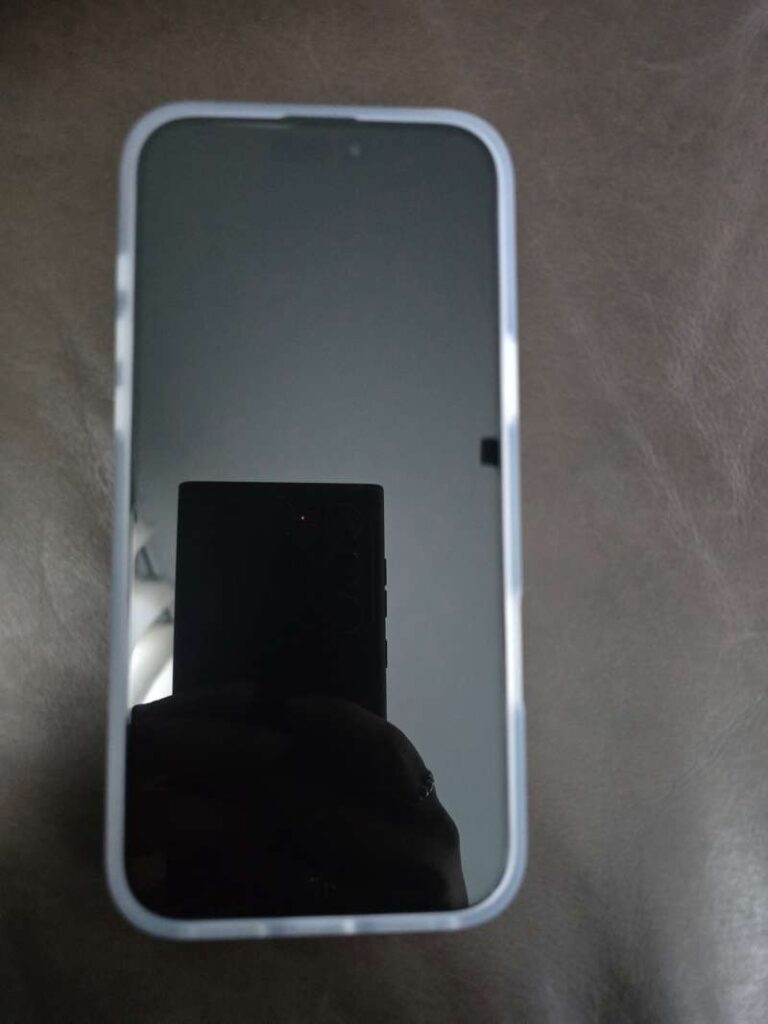
Eco-friendly screen protectors are typically crafted from materials like tempered glass with recycled content, plant-based films, or biodegradable composites that break down far more responsibly at end of life. Many are manufactured using non-toxic adhesives and come in recyclable or compostable packaging, making them safer for both users and the environment. What surprises most people is that these sustainable options don’t compromise on performance — they often deliver superior scratch resistance, better optical clarity, and stronger impact absorption compared to standard plastic alternatives. For iPhone 17, Air, Pro, and Pro Max users who demand premium screen protectors, eco-friendly materials offer the same hardness ratings and oleophobic coatings found in conventional options, with the added advantage of a significantly reduced carbon footprint. Over time, their durability also translates into fewer replacements, lowering long-term costs while keeping more waste out of landfills.



Mastering Dust-Free Protection for iPhone Models
Understanding Dust-Free Technology
Dust-free protection refers to the ability to apply a screen protector without trapping microscopic particles between the adhesive layer and your iPhone’s display. Even a single speck of dust can create a visible bump, compromise adhesion, and gradually allow air pockets to form underneath — all of which degrade both clarity and longevity. For iPhone 17, Air, Pro, and Pro Max users, where edge-to-edge displays and precision cutouts demand exact alignment, any contamination during application is especially costly. Premium eco-friendly protectors address this through electrostatic-resistant packaging that minimizes particle attraction before the film is even opened, combined with silicone-based adhesives that grip dust rather than trap it. Some brands include a dedicated dust-absorption layer built into the protector itself, which actively pulls surface particles away from the adhesive during application. These aren’t marketing claims — they’re engineering solutions that make a tangible difference in installation outcomes.
Step-by-Step Guide to Dust-Free Application
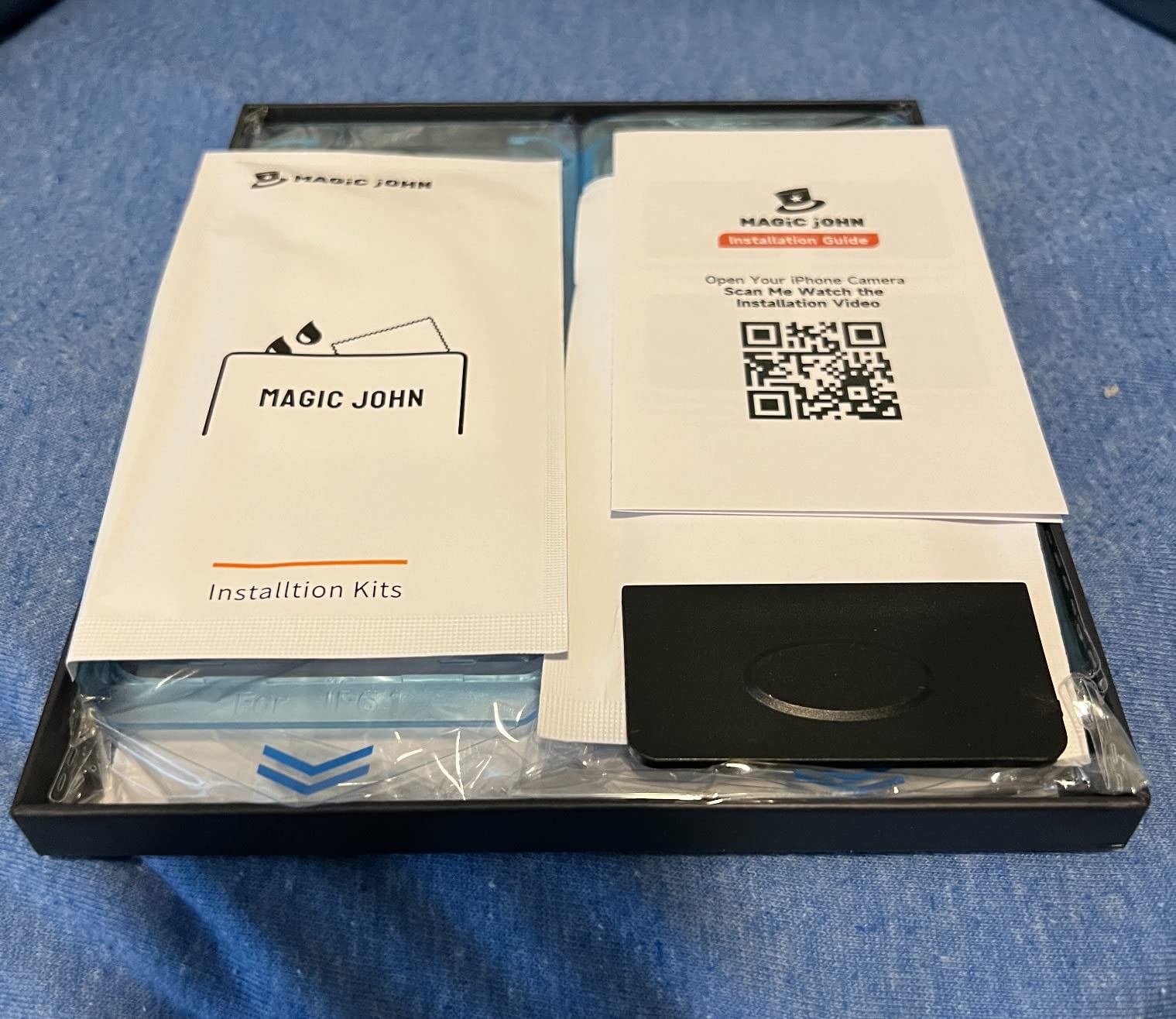
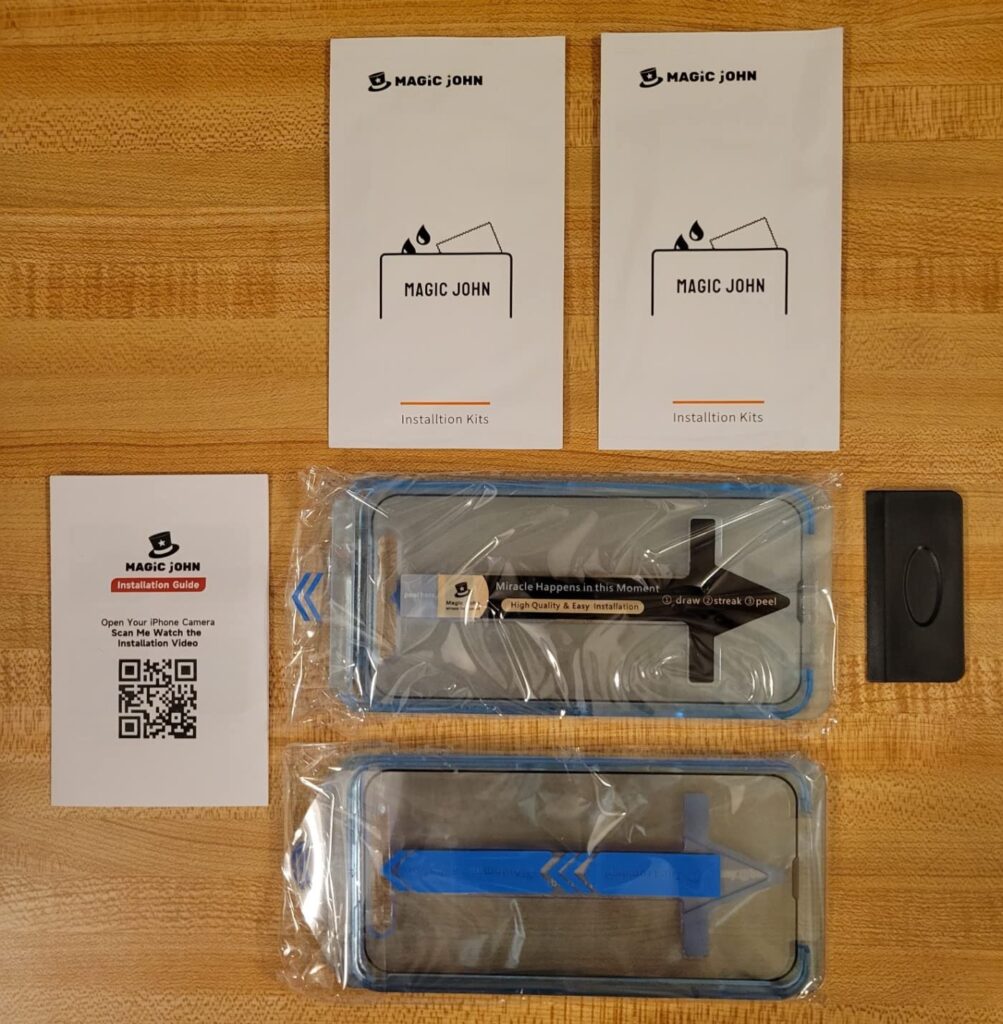
Achieving a truly dust-free install starts well before you peel the backing. First, choose your environment carefully — a bathroom immediately after running a hot shower works surprisingly well because steam settles airborne particles. Wipe down every surface you’ll be working on, then wash and dry your hands thoroughly. Use the included alcohol wipe to clean your iPhone screen in circular motions, then follow with the dry microfiber cloth to remove any streaks. The most important step most people skip is using the dust-removal sticker included with quality protectors — press it firmly across the screen and peel it away to lift any remaining particles the cloth missed. For iPhone 17 Pro and Pro Max models with Dynamic Island cutouts, pay extra attention to cleaning around the top opening. Once the screen is completely clear, peel the adhesive backing and lower the protector from one edge, using the alignment tabs if provided, letting it fall into place naturally rather than pressing it down aggressively. Work in good lighting so you can spot any particles before they become permanent problems.
Achieving Bubble-Free Installation: Essential Steps and Solutions
Preparing Your iPhone and Workspace
A bubble-free installation begins with preparation, not application. Before you even open the packaging, gather everything you’ll need: the included cleaning kit, a credit card or squeegee tool, and a bright lamp or flashlight to reveal particles invisible to the naked eye under normal lighting. Power off your iPhone — this prevents the screen from activating and attracting static during the process. Choose a hard, flat surface and wipe it down with a damp cloth to eliminate dust that could migrate onto your screen mid-install. This matters for every iPhone 17 series model, but especially for the Air’s thinner profile and the Pro Max’s larger surface area, where even minor misalignment creates visible imperfections across a bigger display.
Applying the Screen Protector Without Bubbles
Once your screen is clean and your workspace is ready, technique determines the outcome. Peel the adhesive backing slowly and hold the protector by its edges to avoid fingerprints on the adhesive side. Align the protector using the camera cutout and home indicator as reference points before making contact with the screen — repositioning after partial contact is where most bubbles originate. Lower one edge first, then let the protector fall naturally onto the display. Immediately place a squeegee or the edge of a card at the center and push outward in firm, overlapping strokes toward each side. Eco-friendly tempered glass protectors, particularly those using silicone-based adhesives, respond especially well to this technique because the adhesive flows more evenly under pressure compared to standard acrylic alternatives, self-correcting minor gaps as you work.
Troubleshooting Common Bubble Issues
Small bubbles that appear immediately after application are usually air pockets, not dust — and most will migrate outward and disappear within 24 to 48 hours on their own, particularly with silicone adhesive protectors. If a bubble persists beyond that window, it’s likely anchored by a dust particle. To address it, use a piece of clear tape folded into a point to gently lift the nearest edge of the protector, then use a fresh dust-removal sticker to extract the particle before pressing the protector back down. For larger bubbles near the edges, a firm squeegee pass directed toward the nearest edge often resolves the issue without lifting. If bubbles cover a significant portion of the screen or the adhesive has lost its grip from repeated handling, replacement is the most practical solution — many eco-friendly brands, including MagicJohn, offer satisfaction guarantees or replacement programs that make this less costly than it sounds.
Premium Screen Protectors for iPhone 17 Series: Features and Compatibility
Key Features of High-Quality Protectors
Premium eco-friendly screen protectors for the iPhone 17 series don’t ask you to trade performance for sustainability — they deliver both simultaneously. The most important feature to evaluate is hardness rating: look for 9H tempered glass, which resists keys, coins, and sharp edges without flexing or cracking under pressure. Optical clarity is equally critical, and top-tier sustainable protectors achieve 99% light transmittance, meaning your display’s color accuracy and brightness remain completely unaffected. Oleophobic coatings — the same fingerprint-resistant treatment used on iPhone screens themselves — are standard on quality options, keeping smudges from accumulating and making cleaning faster. Touch sensitivity is another area where eco-friendly tempered glass excels; because the glass thickness is precisely calibrated, swipe responsiveness and tap accuracy feel identical to using your bare screen. Impact absorption, particularly at the edges where drops concentrate force, is handled through reinforced perimeter design in most premium models.
Ensuring Perfect Fit for Your iPhone Model
Fit precision matters more with the iPhone 17 series than with any previous generation, because each model — the standard 17, Air, Pro, and Pro Max — has distinct dimensions, camera island configurations, and display curvature that generic protectors simply can’t accommodate. A protector cut for the standard iPhone 17 will leave gaps or overlap incorrectly on the Air’s thinner frame, and the Pro Max’s larger footprint requires its own exact template. When selecting an eco-friendly protector, verify that it’s explicitly model-matched rather than marketed as a universal fit. Precise cutouts around the Dynamic Island, speaker grille, and front sensors prevent lifting at the edges — one of the primary causes of dust infiltration and bubble formation over time. Many sustainable brands laser-cut their protectors to within fractions of a millimeter, which also enables the dust-free and bubble-free application benefits discussed earlier, since a correctly sized protector seats flush from the first contact rather than requiring adjustment.
Maintenance and Care for Long-Lasting Screen Protection
Daily Cleaning and Upkeep Tips
Keeping your eco-friendly screen protector in top condition comes down to a simple, consistent routine. Use a clean microfiber cloth for daily wipes — the same type included in most premium installation kits — using light circular motions to lift fingerprints and smudges without scratching the oleophobic coating. When the screen needs a deeper clean, lightly dampen the cloth with distilled water or a screen-safe solution free from ammonia, bleach, or alcohol above 70%, as harsh chemicals degrade both the coating and the adhesive layer over time. Avoid paper towels or clothing fabrics, which introduce micro-scratches that accumulate into visible haze. For eco-friendly protectors with biodegradable films, gentle cleaning is especially important since aggressive chemicals can accelerate material breakdown. Consistent care also preserves the dust-free and bubble-free qualities of your installation — a well-maintained adhesive edge stays sealed, preventing the gradual particle infiltration that causes lifting and air pockets months after application.
When to Replace Your Eco-Friendly Protector
Even the most durable protector has a lifespan, and knowing when to replace it prevents your iPhone screen from losing its primary defense. Deep scratches that catch a fingernail, persistent cloudiness that cleaning can’t resolve, and edges that have begun lifting or peeling are all clear indicators that replacement is overdue. When it’s time, dispose of your eco-friendly protector responsibly — many sustainable brands like MagicJohn use materials eligible for glass recycling programs, and some offer take-back initiatives specifically for their products. Check the packaging for disposal guidance before tossing it in general waste. Replacing proactively, rather than waiting for complete failure, also means your next installation goes onto a clean, undamaged screen rather than one already compromised by direct exposure.
Sustainable Screen Protection: A Smart Choice for Your iPhone and the Planet
Eco-friendly iPhone screen protectors prove that protecting your device and protecting the environment aren’t competing priorities — they’re entirely compatible ones. Throughout this article, we’ve covered why sustainable materials outperform conventional plastic alternatives in both performance and environmental responsibility, how dust-free technology and careful installation technique produce cleaner, longer-lasting results, and what premium features iPhone 17, Air, Pro, and Pro Max users should look for to ensure a perfect fit and genuine screen defense.
The practical takeaways are straightforward: prepare your workspace before you open the packaging, use every tool in the installation kit, and maintain your protector with gentle, consistent cleaning to preserve its adhesive integrity and oleophobic coating. When it’s time to replace it, choose a brand that supports responsible disposal — and know that each replacement cycle generates far less waste than its conventional counterpart.
Every purchasing decision carries a small but real environmental consequence. Choosing a sustainable screen protector is one of the simplest ways to align your everyday technology habits with a broader commitment to reducing waste. Your iPhone screen gets the premium protection it needs, and the planet gets a little less plastic. That’s a trade worth making.