Most restaurant operators don’t have a dedicated marketing team, a graphic designer on staff, or hours to spend reformatting a PDF every time a supplier changes a price. Menu updates happen frequently — sometimes daily — and the tools that were once used to manage them weren’t built for that kind of pace. Printed menus become outdated within weeks. Static PDFs require software most front-of-house staff can’t easily access. The gap between what a menu shows and what a kitchen can actually deliver creates confusion for staff and disappointment for guests.
Digital menus have shifted from a novelty to a practical operational tool, particularly since the period when contactless service became a baseline expectation rather than a differentiator. What changed wasn’t just customer preference — it was the realization that a menu tied to a physical format is a liability. Pricing errors, seasonal gaps, and unavailable items all carry a real cost when they’re locked into something that can’t be updated without reprinting.
The barrier for most operators isn’t motivation. It’s the assumption that building a digital menu requires design skills, technical knowledge, or a significant time investment. That assumption is no longer accurate.
Table of Contents
What a Digital Restaurant Menu Template Actually Is
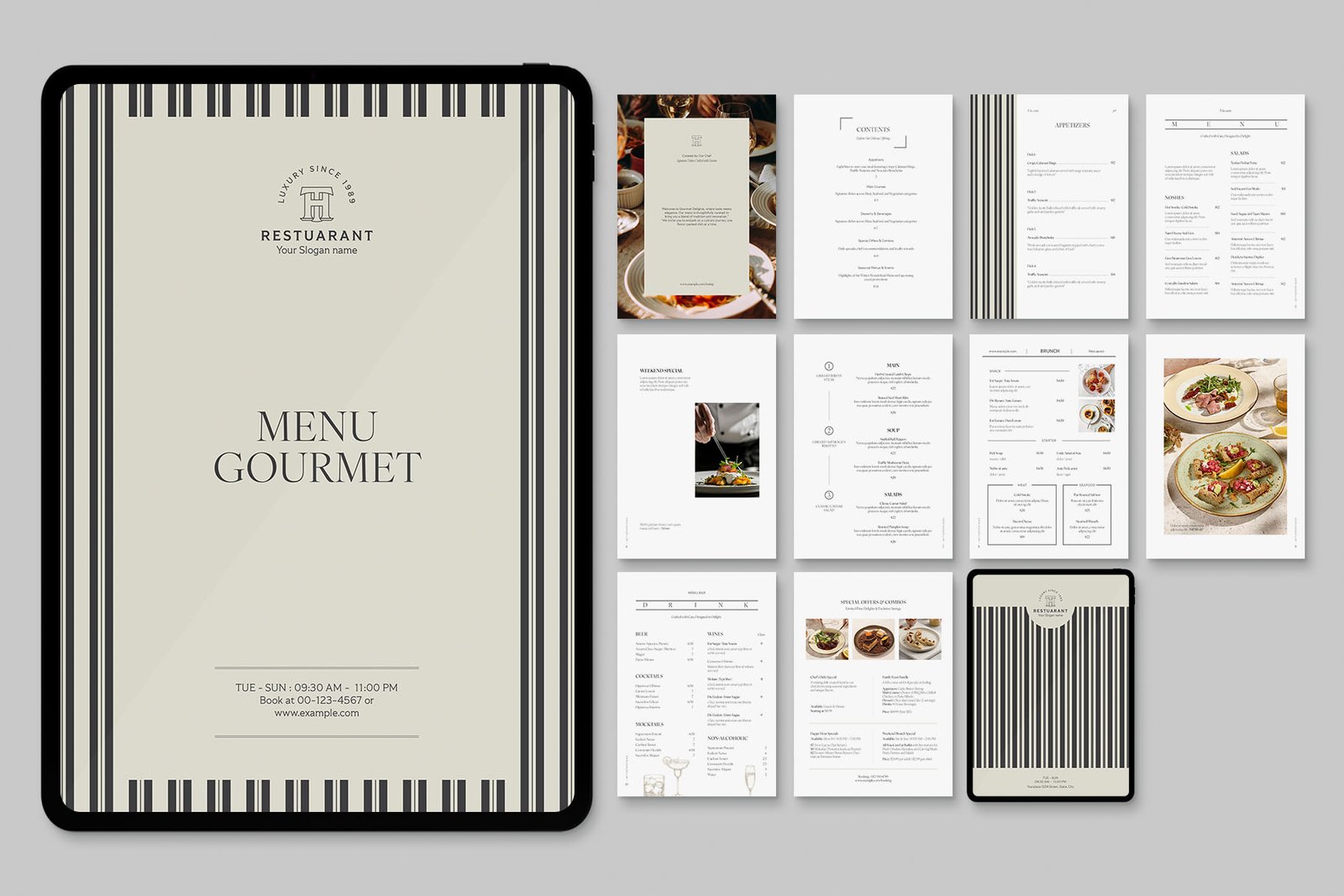
A digital restaurant menu template is a pre-structured format that allows a restaurant to organize, present, and update its menu content without building anything from scratch. Unlike a printed layout or a static image file, a template built for digital use is designed to be edited quickly, displayed on any device, and distributed through a scannable link or QR code. The structure is already in place — the operator fills in the content.
For operators who have never worked with one before, a useful starting point is a purpose-built tool like a digital restaurant menu template that pairs menu creation directly with QR code generation. This removes the step of building a menu in one platform and then separately creating a code to link to it. The workflow is consolidated, which matters when the person setting it up is also managing reservations, staff schedules, and supplier calls.
The distinction between a template and a custom-built digital menu is worth understanding. A template assumes you have categories, items, descriptions, and pricing — and it gives those elements a home. A custom build starts from nothing and typically requires design decisions that slow the process down considerably. For most independent restaurants and small chains, a template is not a compromise. It’s the right tool for the job.
Why the Template Format Reduces Operational Risk
When a menu is rebuilt from scratch each time something changes, there’s a high probability of formatting inconsistencies, broken links, or display errors that go unnoticed until a guest points them out. A template maintains structural consistency across updates. The operator changes the content, not the container.
This matters more than it might appear. A menu that displays incorrectly on a mobile device — showing broken images, misaligned text, or cut-off pricing — affects the guest’s first interaction with the restaurant’s offerings. First impressions in hospitality are rarely recovered. A template that’s been designed for mobile display from the start removes that risk from the operator’s hands entirely.
The Actual Process of Setting One Up
The ten-minute claim in the title of this article isn’t a marketing exaggeration — it reflects how streamlined the process has become when the right tool is used. The steps involved are practical and sequential. There’s no design work involved, no file conversion, and no need to understand how QR codes are generated on a technical level.
Gathering Content Before You Open the Tool
The only preparation required before building a digital restaurant menu template is having the menu content ready. This means having a current list of categories — appetizers, mains, beverages, desserts — along with item names, brief descriptions where applicable, and accurate pricing. If the current menu exists in any format, printed or digital, it can serve as the source.
One common mistake is opening a template tool without this content prepared and then making formatting decisions while simultaneously trying to remember what items belong in which category. The tool doesn’t take long to use. The time gets lost in content decisions that should have been made beforehand. Treating the content assembly as a separate step keeps the build process fast.
What the Build Process Involves
Once inside a template tool, the process follows a predictable pattern. The operator enters the restaurant name and any relevant branding details such as a logo or color preference, though many templates work cleanly without any customization at all. Categories are added, items are entered under each category, and pricing is filled in. Most tools that are built specifically for restaurant menus handle the visual hierarchy automatically — the operator doesn’t decide how a section header looks relative to an item name. That’s already been designed.
When the content is complete, the tool generates a link and a corresponding QR code. The QR code can be downloaded and printed immediately — on table cards, stickers, receipts, or any surface a guest might interact with. The link behind the code points to the live version of the menu, which means any update made through the template is reflected instantly without the code itself needing to change.
Managing Updates Without Disrupting Service
One of the consistent complaints about printed menus is that updating them requires a decision — is this change significant enough to justify reprinting? That question creates a delay. Items that are no longer available stay on the menu longer than they should. Price increases get held back until the next print run. Seasonal additions get deferred.
A digital restaurant menu template removes that decision entirely. Because the menu lives online and is accessed through a stable link, changes can be made at any time without touching the physical QR code or reprinting anything. A dish that sells out at midday can be removed before the dinner service begins. A price adjustment can be made between lunch and dinner without any operational disruption.
The Relationship Between Menu Accuracy and Service Quality
Staff spend a measurable amount of time managing the gap between what a menu says and what’s actually available. When a guest orders something that isn’t available, the server has to return to the table, explain the situation, and help the guest choose again. This interaction isn’t catastrophic, but it adds friction and affects the guest’s experience of the service. In a busy service period, it also adds time pressure to the server.
An accurate, up-to-date digital menu reduces these interactions. According to research published by the National Institutes of Health on consumer decision-making, clarity and reduced friction in the selection process contributes meaningfully to satisfaction outcomes. Applied to a restaurant context, this means a menu that reflects reality — what’s available, what it costs, what it contains — does quiet but consistent work in supporting a positive experience.
Handling Seasonal and Event-Based Menus
Restaurants that run seasonal menus, prix fixe options, or special event formats often treat these as separate projects requiring separate materials. With a digital restaurant menu template approach, a seasonal menu can be built as a secondary version, linked to its own QR code, and deployed for the relevant period without affecting the main menu. When the season ends, the code is simply retired. Nothing needs to be archived, discarded, or reprinted.
This kind of flexibility doesn’t require technical expertise — it requires understanding that a digital menu template is not a single fixed object. It’s a format that can be applied to different menu contexts as needed.
QR Code Distribution and Practical Placement
Generating a QR code is only useful if it’s placed where guests will naturally encounter it. The most common placements in table-service settings are table tent cards, laminated table inserts, and printed cards placed alongside condiments. In counter-service or quick-service environments, QR codes work well on order counters, tray liners, or signage near the queue.
One consideration that’s often overlooked is outdoor dining. Printed materials left outside degrade quickly in weather. A QR code printed on a durable surface — a small metal stand, a weather-resistant card holder — keeps the menu accessible in patio or garden seating without requiring a staff member to deliver and retrieve physical menus.
What to Avoid When Placing QR Codes
QR codes placed on surfaces that are reflective, curved, or frequently wet are harder to scan reliably. Glass surfaces and glossy table tops create glare that interferes with scanning. Codes printed too small — smaller than roughly the size of a business card — often fail to scan from a normal phone camera distance, which creates a frustrating guest experience that reflects on the restaurant even though it’s a placement issue, not a menu issue.
Testing the code from a guest’s perspective before deploying it — sitting at the table, holding a phone at normal distance, attempting the scan without assistance — takes less than a minute and prevents a problem that would otherwise go unnoticed until a guest mentions it.
Closing Thoughts
The move toward digital menus in restaurants isn’t driven by trend-following. It’s driven by the practical limitations of maintaining printed materials in an environment where content changes frequently, costs are tightly managed, and service quality depends on accuracy. A digital restaurant menu template addresses each of those pressures without requiring a significant investment of time, money, or technical skill.
For operators who have been putting this off because it seemed like a project requiring outside help, the current tools make that assumption worth revisiting. The process is genuinely accessible — the content preparation takes longer than the build itself. And once a digital menu is in place, the recurring benefit is the ability to update it whenever the business requires, without waiting, without reprinting, and without introducing the kind of inconsistencies that erode service quality quietly over time.
Getting started with a digital restaurant menu template is less a technology decision and more an operational one. It’s about building a menu system that keeps pace with how a restaurant actually runs.
-

-

-

-

-

-