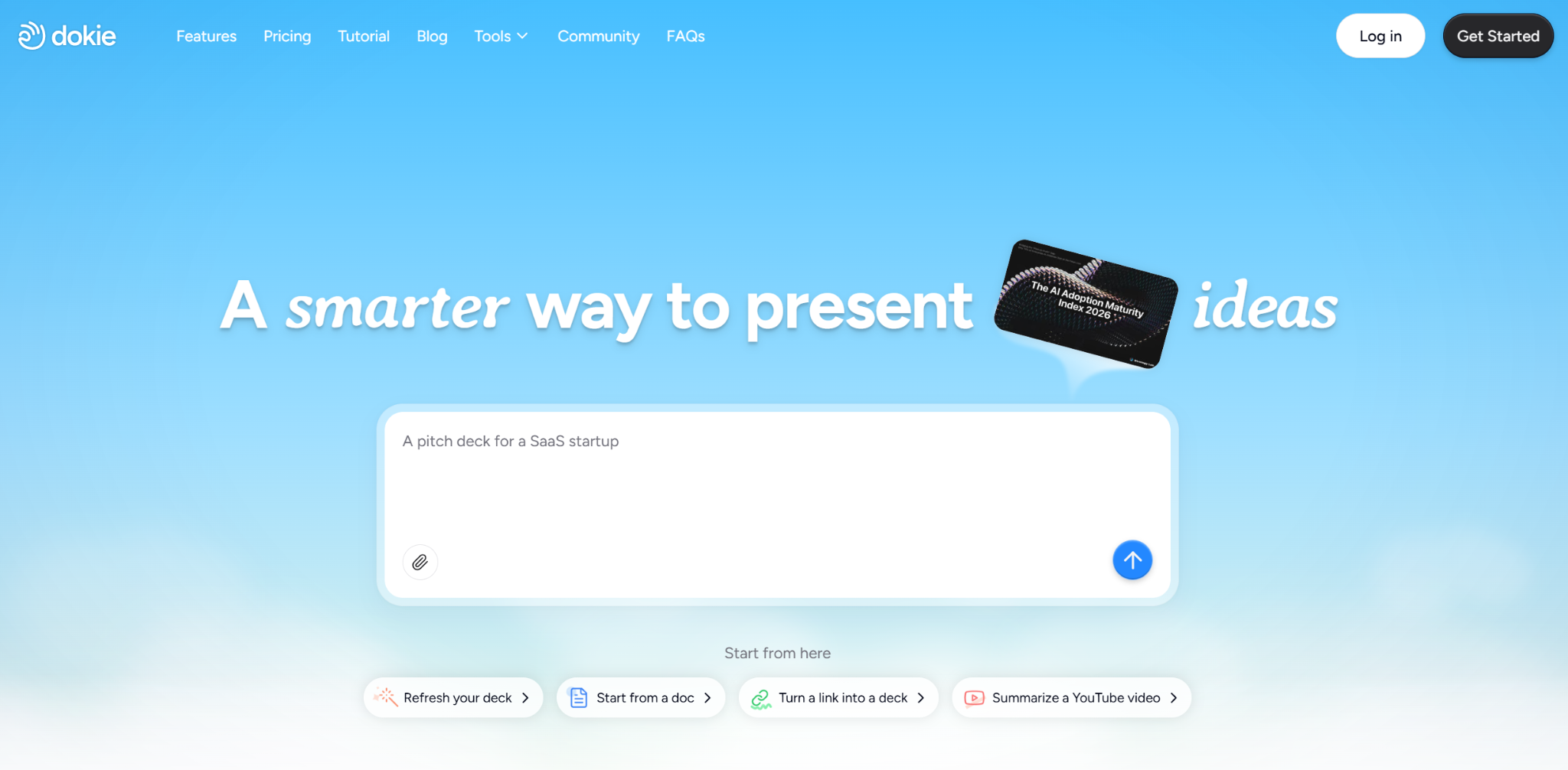
If you want an AI presentation maker that helps you get from messy notes to a usable deck faster, Dokie AI is worth looking at. Its positioning is clear: it focuses on creating professional slides with clean layouts, and it also lets users generate and edit PPTs online.
That matters because many AI slide tools can produce a fast draft, but the real question is whether the output is actually usable. In practice, the biggest value of an AI PPT maker is not just speed. It is reducing the amount of cleanup you need before a real meeting. That is where Dokie AI looks strongest. This is my main takeaway after reviewing its current product positioning, tool set, and workflow pages.
Table of Contents
What Is Dokie AI?
Dokie AI is an AI presentation maker and slides generator designed to help users create, edit, and convert presentations more quickly. Its official positioning focuses on professional, brand-aligned slides with clean layouts, and it supports both AI generation and PPT editing.
It is not only a prompt-to-presentation tool. One of its biggest strengths is that it also offers a group of file-to-PPT tools, including PDF to PPT, Excel to PPT, HTML to PPT, Text to PPT, DOC to PPT, JPG to PPT, and PNG to PPT.
What Dokie AI Does Well
1. It fits real presentation workflows
A lot of people do not start with a blank prompt. They already have a PDF, a Word document, a spreadsheet, a report, screenshots, or a web page. Dokie AI clearly leans into that reality by offering multiple conversion tools that turn existing content into editable slides. That makes it more practical for day-to-day work than tools that only generate decks from a short topic prompt.
2. It focuses on usable business decks
Dokie’s product language keeps returning to ideas like “professional,” “clean layouts,” and “presentation-ready slides.” Its educational content also emphasizes that a good AI presentation maker should create clear structure, logical flow, concise content, and decks that feel usable rather than random. That suggests Dokie is aiming at business-style presentations, not just pretty slide experiments.
3. It supports editing after conversion
Several tool pages say that after converting a file, users can keep editing inside Dokie AI, including changing layouts, modifying text, and using AI to rewrite or enhance slides. That is important because conversion alone is never enough. You usually still need a final pass.
4. It offers free online tools
Dokie states that several of its file conversion tools are free to use online, with no software installation required. That lowers the barrier for first-time users who just want to test whether the workflow actually saves time.
Where Dokie AI May Fall Short
No AI presentation tool is perfect, and Dokie AI is probably no exception.
First, the official materials strongly emphasize workflow, structure, and conversion, but they say less about advanced collaboration, analytics, or team workspace features than some presentation platforms aimed at larger teams. Based on the current public pages I reviewed, Dokie looks more compelling as a creation tool than as a full presentation management platform. That is an inference, not a direct product claim.
Second, like most AI PPT makers, Dokie still likely depends on the quality of your input. Its own educational content notes that AI presentation makers can suffer from generic wording, too much text, weak prioritization, and the need for manual cleanup. Those are category-wide limitations, and users should expect to review the final deck rather than treat it as finished instantly.
Third, if your top priority is highly artistic slide design, Dokie may not be the best fit. Its messaging leans more toward practical and structured output than toward visual experimentation or design-heavy storytelling.
Best Use Cases for Dokie AI
Dokie AI looks best for people who need presentations for actual work, especially when they already have source material.
It should be a strong fit for:
- weekly reports
- client presentations
- internal updates
- strategy decks
- school presentations built from existing notes or documents
- turning PDFs, docs, spreadsheets, or images into slides faster
This is also where Dokie feels different from many lightweight AI slide generators. Instead of only asking users to type a topic and hope for the best, it gives them multiple ways to turn existing work into presentation format.
Pros and Cons
Pros
- Clean product focus on professional slide creation and editing.
- Strong file-to-PPT workflow, including PDF, Excel, HTML, DOC, JPG, PNG, and Text conversion.
- Online and free entry points for several tools.
- Editing continues after conversion, which makes the workflow more practical.
- Better aligned with structured, presentation-ready output than casual slide generation.
Cons
- Public pages reviewed do not emphasize deep team workflow features as much as some collaboration-first presentation platforms.
- Like all AI presentation makers, final polish is still needed.
- May be less appealing to users who care more about visual flair than business-ready structure.
Final Verdict
Dokie AI is a practical AI presentation maker, especially for business users who want faster output without sacrificing slide structure. Its biggest strength is not just that it can generate slides. It is that it fits the way people actually work: starting from notes, documents, spreadsheets, PDFs, images, or web content, then turning that material into editable presentations.
If your goal is to create flashy visual storytelling, there may be more design-first tools out there. But if you care about getting to a usable PPT faster, especially for reports, strategy decks, and client presentations, Dokie AI looks like a solid option.
FAQs
Is Dokie AI free?
Dokie AI says several of its file conversion tools are free to use online, including PDF to PPT, HTML to PPT, and Excel to PPT.
What can Dokie AI convert into PowerPoint?
Based on its current tool pages, Dokie AI supports PDF, Excel, HTML, Text, DOC, JPG, and PNG to PPT conversion.
Is Dokie AI good for business presentations?
It appears to be a strong fit for business decks because its product positioning emphasizes professional slides, clean layouts, and presentation-ready output.
Does Dokie AI let you edit slides after conversion?
Yes. Its tool pages say users can continue editing slides inside Dokie AI after conversion, including adjusting layouts and modifying text.
Is Dokie AI better for structure or design?
Based on its public positioning, Dokie AI appears more focused on structure, workflow, and practical deck creation than on highly design-driven presentation output.
-

-

-

-

-

-