Most small business owners don’t spend much time thinking about how their documents move through their operation — until something breaks down. A contract arrives as a scanned image. An invoice can’t be searched or edited. A vendor sends a PDF that locks up the accounting software. These aren’t edge cases. For businesses that process paper regularly, they’re weekly friction points that slow down billing, compliance, and record-keeping in ways that quietly add up.
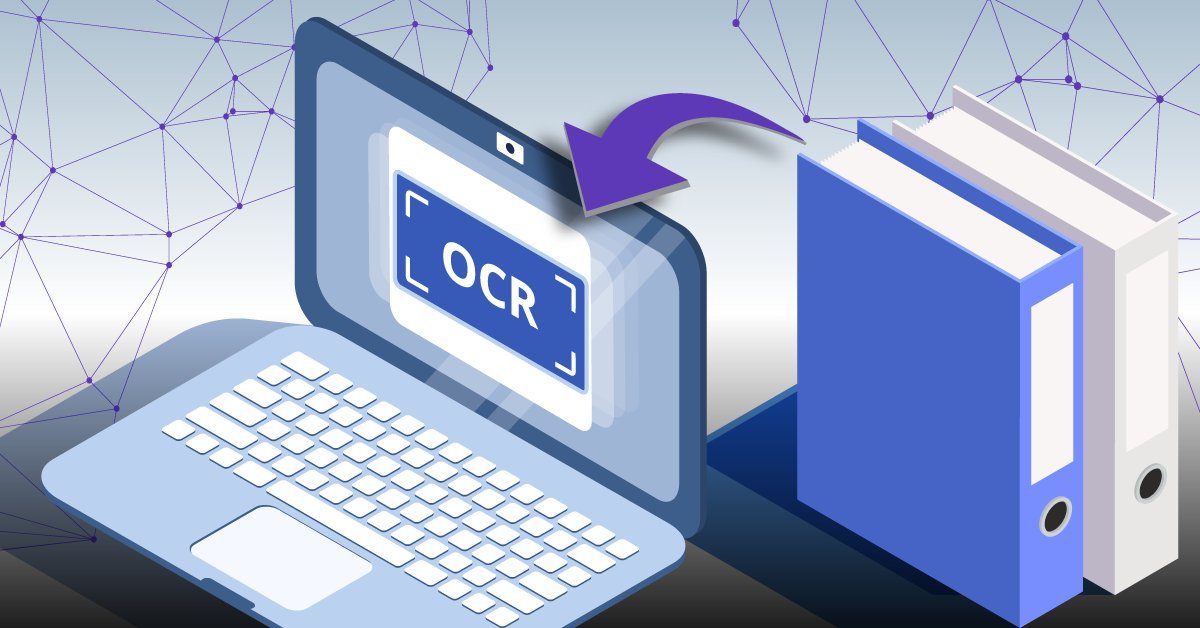
Optical character recognition — the technology that converts scanned images and static PDFs into readable, searchable, editable text — has become a practical requirement for businesses that handle documents at any real volume. The question is no longer whether to use it, but which software handles it well enough to be trusted in a real workflow, not just a demo environment.
What follows is a review of seven PDF tools with OCR capabilities, evaluated based on how they perform for US small businesses with real document loads, mixed file types, and limited IT resources. These aren’t ranked by feature counts. They’re ranked by how well they hold up when the work actually needs to get done.
Table of Contents
Why OCR Capability Matters More Than Most Buyers Realize
When businesses evaluate PDF software, they often focus on basic editing, annotation, and export features. OCR tends to be treated as a bonus — something listed in the feature set but rarely tested before purchase. That approach tends to create problems. OCR quality varies significantly between tools, and the gap between a basic implementation and a reliable one becomes visible quickly when you’re processing documents that need to be accurate, searchable, and usable downstream.
A well-compiled guide to pdf software with ocr can help buyers understand what they’re actually comparing, because the shorthand of “OCR included” doesn’t tell you much about recognition accuracy, language support, or how the software handles low-resolution scans and mixed-format documents. Those details matter when you’re processing invoices, legal agreements, or tax documents where errors carry real consequences.
OCR isn’t just a convenience feature. It connects to compliance, auditability, and operational speed. A business that processes scanned vendor invoices without OCR is either rekeying data manually or storing files that can’t be searched or referenced later without opening each one individually. Both approaches carry costs — in labor time, error risk, and document management overhead.
The Difference Between Text Recognition and Reliable Text Recognition
There’s a meaningful distinction between software that technically performs OCR and software that performs it accurately enough to be trusted without review. Some tools apply character recognition at a surface level and produce output with frequent substitution errors — letters misread, numbers transposed, formatting collapsed. Others produce clean, structured output that requires little to no correction.
For businesses with low document volume, a higher error rate may be manageable. For those processing dozens or hundreds of pages regularly, it isn’t. The labor cost of reviewing and correcting OCR output can exceed the cost of the software itself if the tool isn’t performing at a commercially useful level. This is why real-world testing by actual users — not marketing benchmarks — is the most useful evaluation standard available.
What Small Business Owners Found in Practice
The evaluations that inform this article came from small business owners across service industries, including accounting firms, construction contractors, healthcare administration offices, and independent legal professionals. These are businesses that receive scanned documents regularly, work with older file formats, and don’t have dedicated document management staff. Their feedback focused on three areas: OCR accuracy on imperfect source material, how quickly software processes multi-page files, and whether the output integrates cleanly with the tools they already use.
Adobe Acrobat Pro
Adobe Acrobat Pro remains the most recognized name in PDF processing, and its OCR performance reflects years of refinement. It handles complex layouts well, including documents with columns, tables, and mixed image-text content. For businesses already embedded in Adobe’s ecosystem or working with design-heavy files, it continues to be a reliable standard. The cost is higher than most alternatives, which makes it a harder case to justify for businesses with straightforward needs.
ABBYY FineReader PDF
ABBYY has built its reputation specifically around recognition technology, and FineReader is where that focus shows most clearly. It consistently produces cleaner output from low-quality scans than most competitors, and it handles multilingual documents better than general-purpose PDF tools. Businesses that receive documents from international partners or that work with older archival materials will find this distinction relevant. The interface is functional rather than polished, but the recognition quality justifies the trade-off for accuracy-dependent workflows.
Kofax Power PDF
Kofax Power PDF is positioned for business use and includes OCR as a core capability rather than an add-on. It performs well on standard business documents — forms, invoices, contracts — and integrates with Microsoft Office in ways that reduce manual steps when moving content from PDF to editable formats. For small businesses already working in Office-heavy environments, the integration alone reduces friction meaningfully. Recognition accuracy is competitive, though it doesn’t consistently outperform ABBYY on degraded source material.
Nitro PDF Pro
Nitro PDF Pro targets business users and handles everyday OCR tasks competently. Its strength is in batch processing — converting multiple files at once without requiring manual oversight for each document. For businesses that receive high volumes of similar document types, such as standardized vendor invoices or scanned delivery receipts, the batch capability reduces the time cost significantly. Accuracy on edge cases is adequate rather than exceptional.
PDF-XChange Editor
PDF-XChange Editor offers strong OCR functionality at a price point that’s accessible for very small businesses or sole proprietors. The tool is more technically demanding than others on this list — its interface requires a higher level of comfort with document processing concepts — but users who invest time in learning it tend to find it highly configurable. It supports zone-based OCR, which allows recognition to be applied to specific areas of a document rather than processing everything, a useful option when only certain fields need to be extracted.
Foxit PDF Editor
Foxit PDF Editor has expanded its OCR capabilities in recent versions and now performs reliably on standard business documents. It’s lighter and faster than Adobe Acrobat in most environments, which matters for businesses running older hardware. The recognition quality is solid for clean source material, and the software handles form-based documents well. Where it falls short is on heavily degraded or very small-font content, where recognition accuracy drops more noticeably than in specialized tools.
pdfFiller
pdfFiller approaches document management from a cloud-based perspective, and its OCR capability reflects that orientation. It works well for businesses that operate primarily in browser-based environments and need to process documents without installing software locally. Recognition accuracy is sufficient for standard business use. It isn’t the strongest performer on complex layouts or degraded scans, but for businesses whose document types are consistent and reasonably clean, it removes the software maintenance burden that comes with desktop applications.
How to Evaluate These Tools Against Your Actual Workflow
The most common mistake in purchasing PDF software is evaluating it against a best-case scenario. Clean, high-resolution test documents will perform well in almost any tool. The real test is what happens with the kinds of files your business actually receives — faxed forms, photographed receipts, scanned agreements that have been folded or faded, or multi-page documents where page quality varies.
According to guidelines published by the National Institute of Standards and Technology, document recognition accuracy is affected significantly by source image resolution, contrast consistency, and font regularity — factors that are rarely within a business’s control when receiving documents from external parties. Knowing this helps set realistic expectations and clarifies why recognition quality on imperfect input is a more meaningful benchmark than performance on ideal material.
Matching Tool Capability to Volume and Document Type
A business processing five to ten documents per week has different requirements than one processing hundreds. At low volume, a less efficient tool is manageable. At higher volume, processing speed, batch capability, and error rates all carry real operational weight. Businesses should estimate their monthly document load honestly before selecting a tool, and they should test specifically on the file types they receive most often — not the file types that happen to be easiest to convert.
Similarly, businesses with compliance obligations — in healthcare, finance, or legal services — need to consider whether the software produces output that meets their record-keeping requirements. Searchable, text-based PDFs are often required for audit purposes, and the difference between a tool that produces legally acceptable output and one that doesn’t is not always obvious from a feature list alone.
Pricing Models and Total Cost of Ownership
PDF software pricing has shifted considerably in recent years, with most major vendors moving toward subscription models rather than perpetual licenses. For small businesses, this changes the cost calculation. A subscription that appears inexpensive monthly can exceed the cost of a one-time license within two to three years, particularly for software used by a single operator on a predictable task.
Businesses should also account for indirect costs: the time spent on OCR error correction, the labor involved in manual rekeying when a tool underperforms, and the IT overhead of maintaining locally installed software versus managing a cloud-based solution. These costs don’t appear on a pricing page, but they’re real and they accumulate over time. The tool with the lowest license cost isn’t always the tool with the lowest total operating cost.
Licensing Considerations for Multi-User Environments
Small businesses that share document processing across multiple staff members need to pay careful attention to licensing terms. Per-seat pricing can make a seemingly affordable tool expensive at scale, while some tools offer team or business tiers that reduce per-user costs significantly. Understanding how a tool is licensed before purchasing avoids the situation where a business selects software based on a single-user price and then encounters a substantially higher cost when adding additional users.
Conclusion
Choosing PDF software with OCR is a practical infrastructure decision, not a technology purchase. The tools reviewed here represent the realistic range of what’s available to US small businesses in 2025 — from enterprise-grade solutions with deep recognition capability to lighter, cloud-based options suited to simpler document environments. None of them are universally the right choice, because no two businesses have exactly the same document types, volume, compliance requirements, or technical capacity.
What the businesses who tested these tools consistently emphasized is that accuracy on real-world input matters more than any other specification. A tool that performs well on clean documents but struggles with the actual files your operation receives every week is a tool that will create more work, not less. Testing against your own documents, in your own environment, before committing to a subscription or license is the most reliable way to make a decision you won’t need to revisit in six months.
For businesses at the beginning of that evaluation process, starting with a clear understanding of OCR quality differences — rather than treating all tools as equivalent — is the most useful first step toward a decision that holds up in practice.
-

-

-

-

-

-